Customers couldn't find their way into the help they were paying for. Support had grown a dozen front doors across ten locales, and the one that mattered, the customer portal, was the hardest to reach. The job was to simplify the way in, and give customers a reason to sign up.
This came in as a facelift, bringing two portal screens in line with the new brand. I shipped that, but it kept bothering me that the portal wasn't the real problem. Customers weren't getting there at all. So I went back, gathered the evidence I'd been missing, and turned a requirements list into a plan built around the customer's journey.
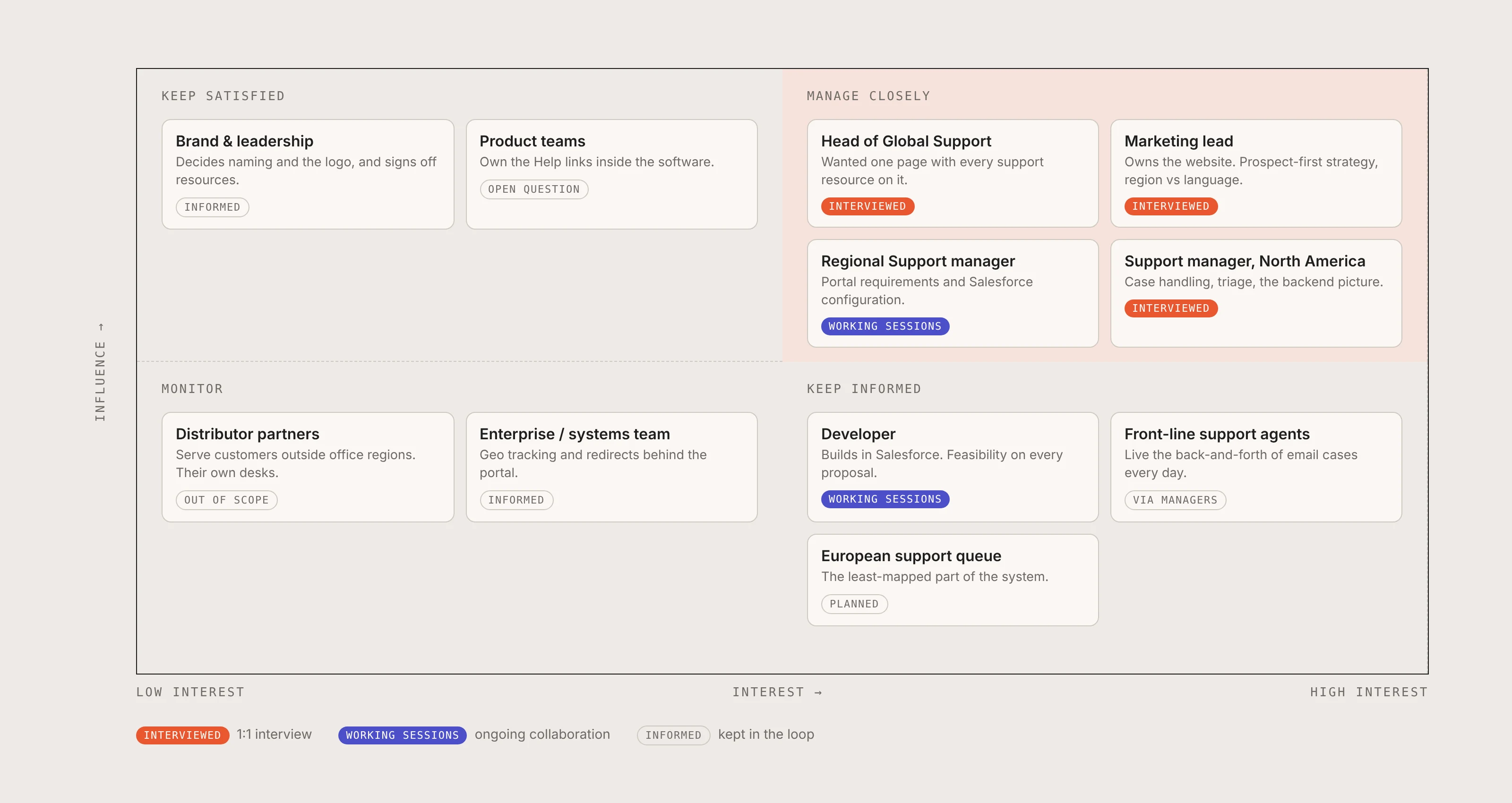
I was the designer on a small team, with a developer building in Salesforce alongside me. I worked with the head of global support, the regional support managers who own the portal requirements, and the marketing team who own the website.
Discovery · Stakeholders
As a global company, support was never centralised. It was split across continents, each region running its own inbox, and any ticket that landed in the wrong place was rerouted by hand. The portal they all pointed to had been built the same way, one addition at a time, with no plan holding it together. It was cumbersome to move through, the navigation clearly grown rather than designed.
Discovery · Behind the scenes
I ran one-to-one interviews with the head of global support, the marketing lead and a support manager, then set up weekly working sessions with the regional manager who owns the portal requirements and the developer building it, so every decision stayed feasible to implement.
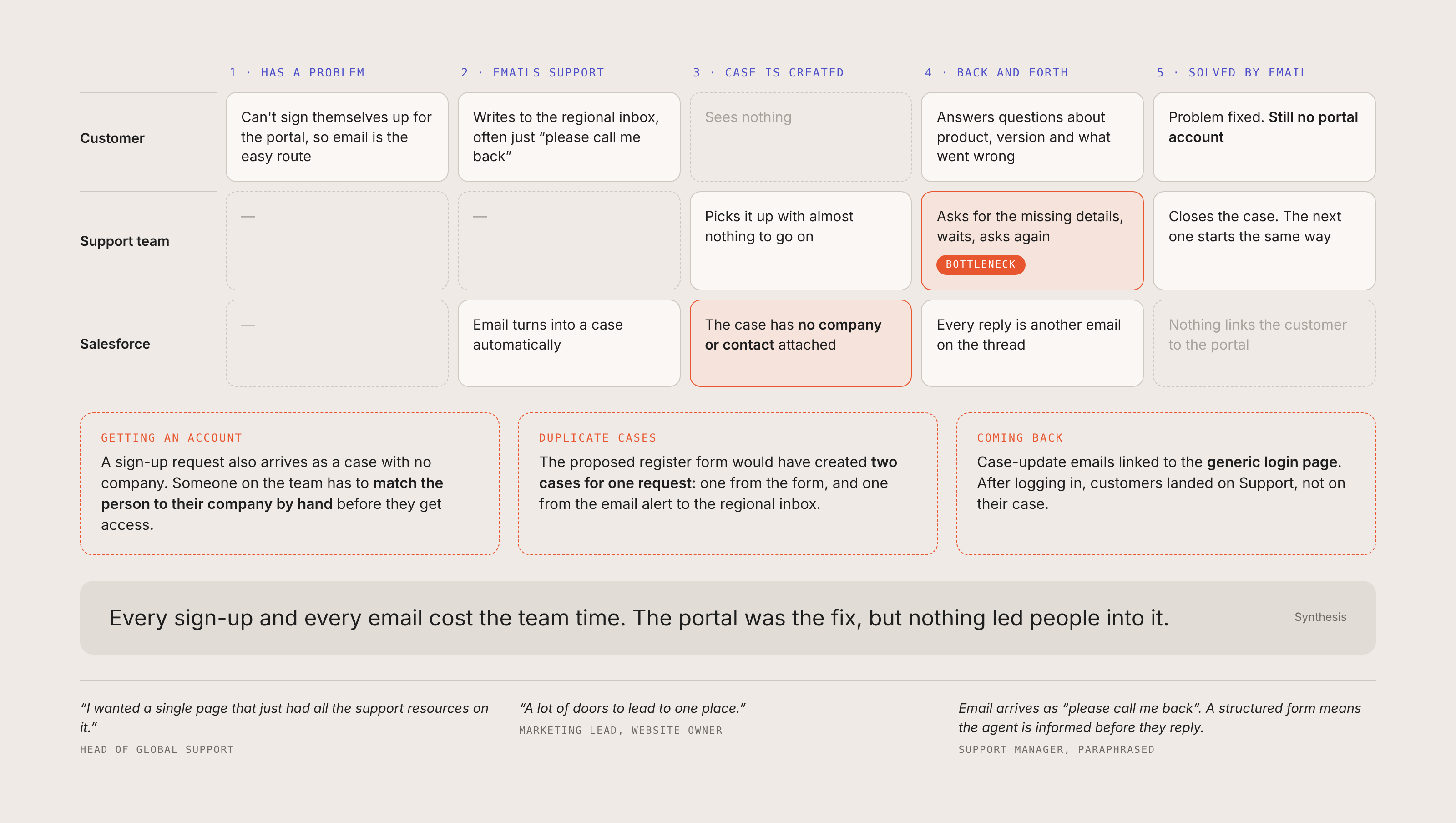
Support solved most incoming issues by email, which meant a lot of back and forth just to get the context. Customers couldn't sign themselves up, so they emailed the regional inbox, often with little to go on. Each email became a case with no company or contact attached, and the agent had to chase the product, the version and what went wrong before they could help. The problem got solved, but the customer still had no portal account.
Getting one meant someone on the team matching the person to their company by hand. The portal was the fix the team wanted, because a case that starts there arrives with the details already in it. But nothing led people into it.
Discovery · Analytics
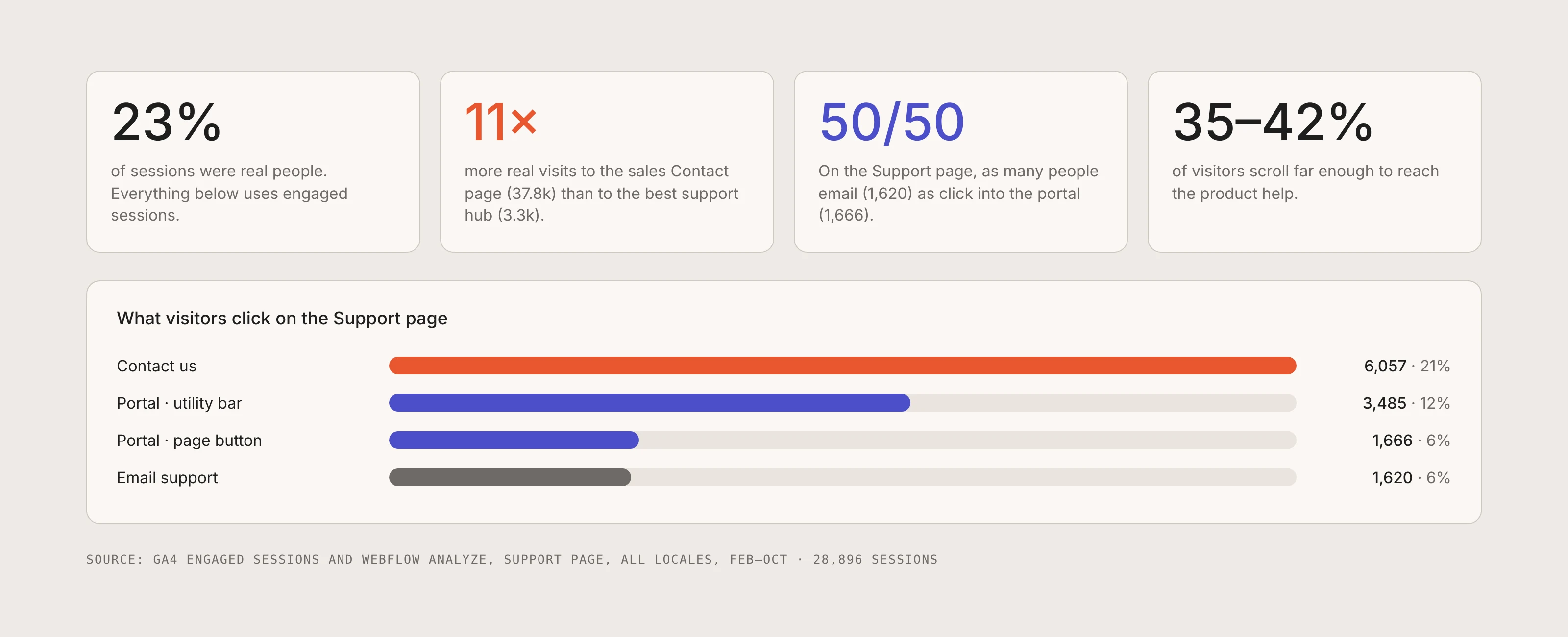
The team talked a lot about email and about the portal they wanted people to use, so I looked at how customers were actually arriving. Raw analytics were full of bots, only 23% of sessions were real people, so I rebuilt the picture on engaged sessions and cross-checked every click in Webflow, because GA didn't count clicks into the portal's own subdomain.
The path was broad and convoluted. The sales Contact page pulled 11 times the real visits of the best support hub, and its only route to help was a dropdown shared with every other kind of enquiry. The portal sat in the utility bar, which only helps people who already know what it is. And on the Support page, the link to the portal sat next to an email address, with the two used about equally, a 50/50 split.
The Support page itself was sprawling, and a third way in, a separate page called Customer Success, did much the same job. That sent me into the pages themselves to see how they really fit together.
Discovery · Touchpoint audit
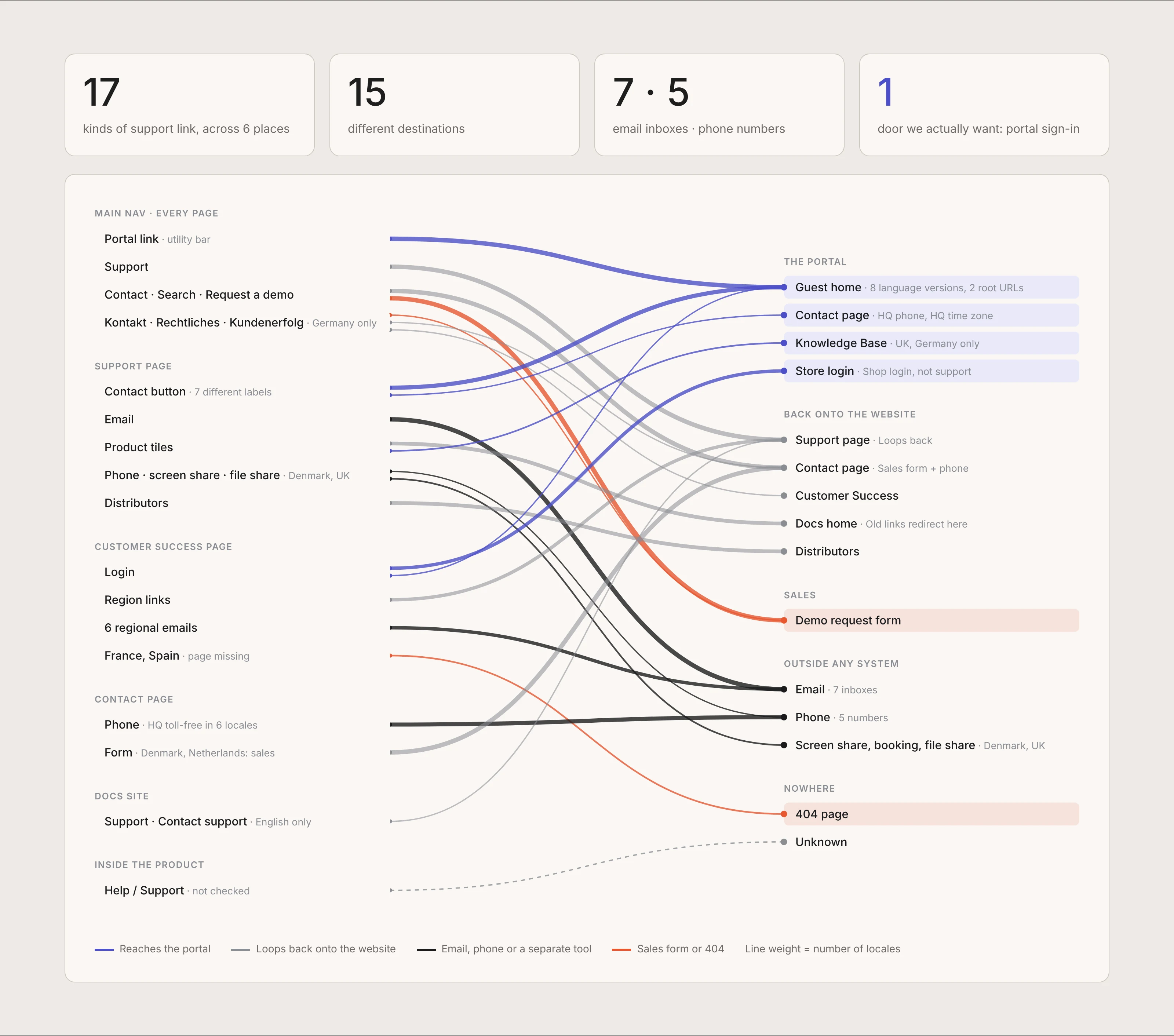
Then I traced every door. I crawled each support link on the website, docs and help pages in all ten locales and followed it to where it really leads. Only a handful reached the portal, and those landed on four different pages. The rest led to an inbox, a phone, a sales form, a loop back onto the website, or a 404.
This map became the centre of the whole project. It turned "the support pages feel messy" into something everyone in the room could see.
Discovery · Page audit
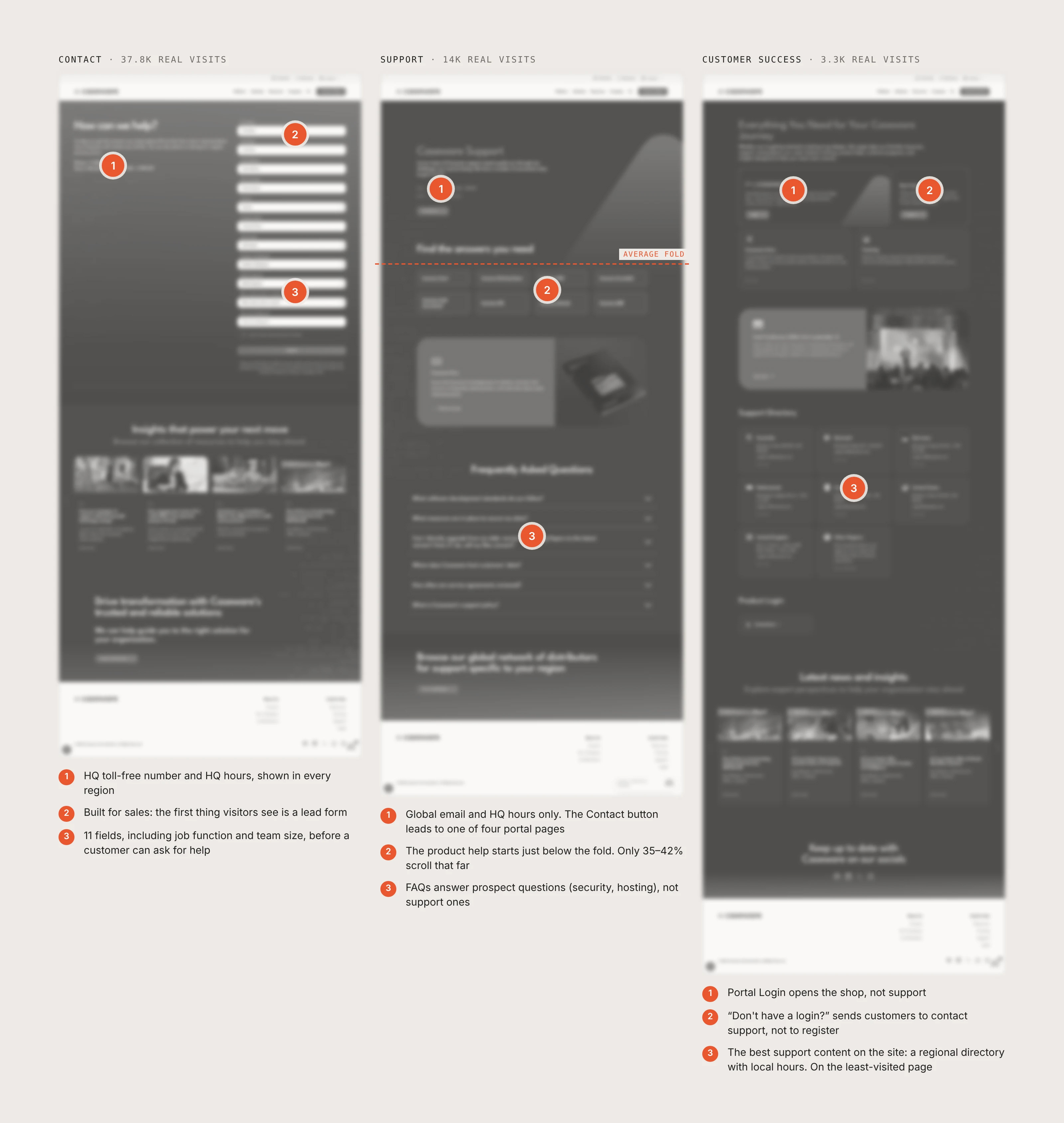
Beyond the links, I audited Contact, Support and Customer Success, the three pages customers actually land on. Each held a useful piece of support, but none told a customer where to go. Contact was built for sales. Support put its answers below the fold. And the best content on the site, a regional directory with local hours, sat on the page with the fewest visitors.
Discovery · Benchmark
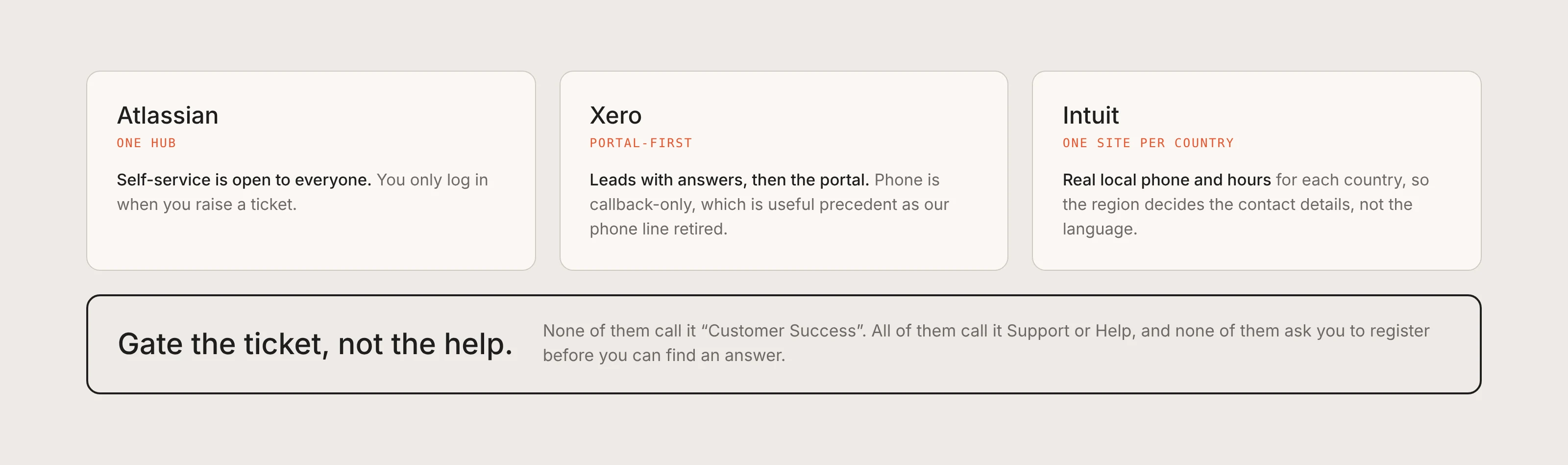
I benchmarked how competitors and well-known help centres let customers in. The best ones pick one organising question (which product, or which country) and build everything around it. We were split three ways at once, by region, by channel and by name. None of them call it "Customer Success", and none make you register before you can find an answer.
Ideation · Reframing the problem
Discovery changed the brief. The portal itself worked. Customers just weren't getting there, and when they did, nothing made signing up worth it. I rewrote the problem as two statements the whole team could agree on.
That gave the project a north-star metric it never had, the portal sign-up rate. Four principles came out of the research and guided every decision after it.
Emailing was quicker than registering, so customers emailed. Signing up had to become part of getting help, not a detour from it.
17 kinds of link led to 15 places. Every route needed to lead to one place, the portal sign-in, in the customer's region.
Supported by click-through into the portal, the places a support link can lead, and the email vs portal split.
Every support link, in every locale, leads to the same sign-in page.
Answers and contact details stay open. Only logging a case needs an account.
Contact details follow where the customer is, not what language they read.
Portal, Contact Support, Log a case. The same words everywhere.
Concepts · Decisions and trade-offs
The second round started from a long requirements list written by support. I turned it into design decisions, argued for the user where it mattered, and adapted where the team had good reasons.
A large welcome block explaining the portal, registration on a separate path
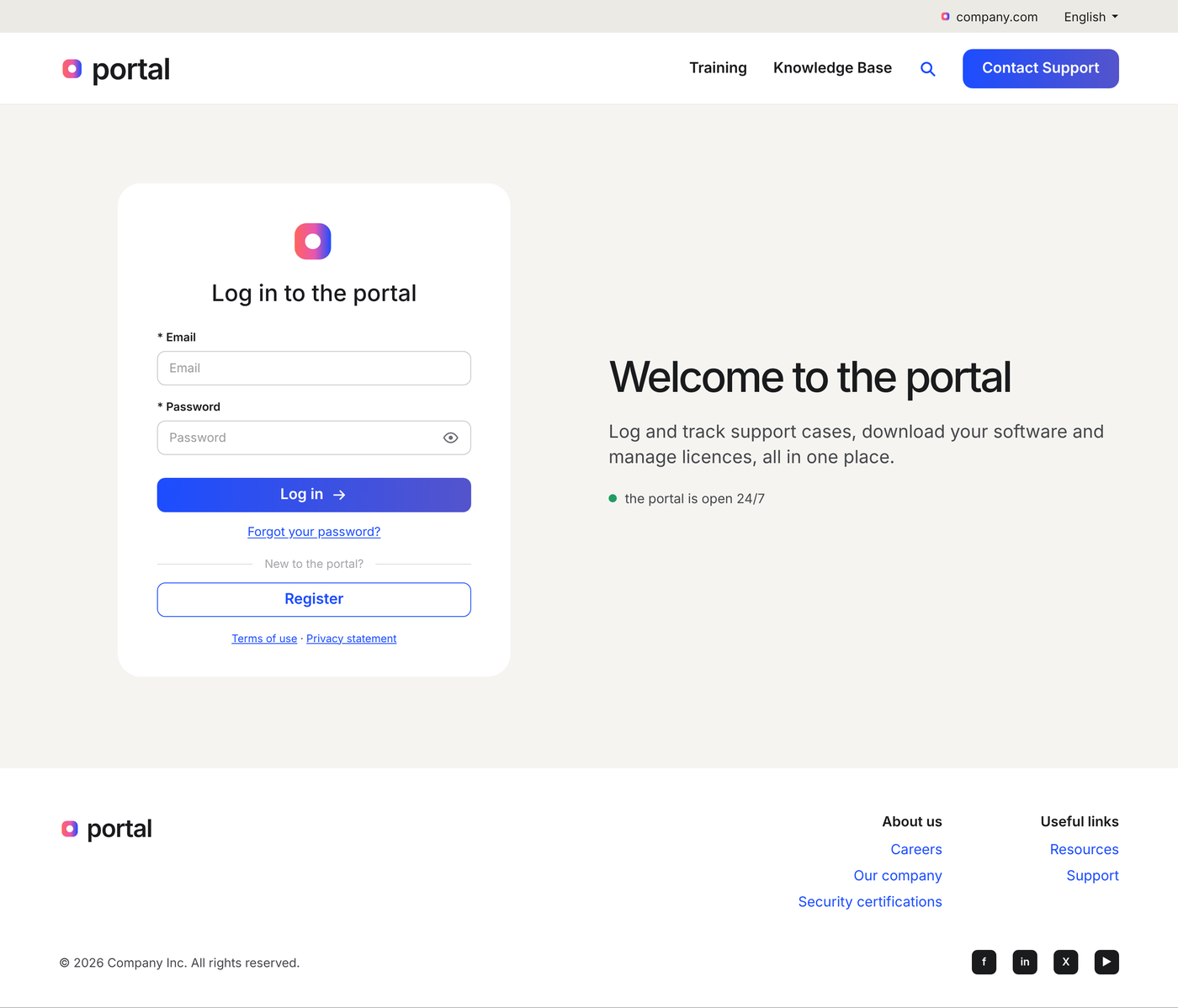
Log in first, Register directly underneath, one line of value
People expect "New here? Register" right under the form. Long intros don't get read.
Request an account, wait for the check, then email support anyway
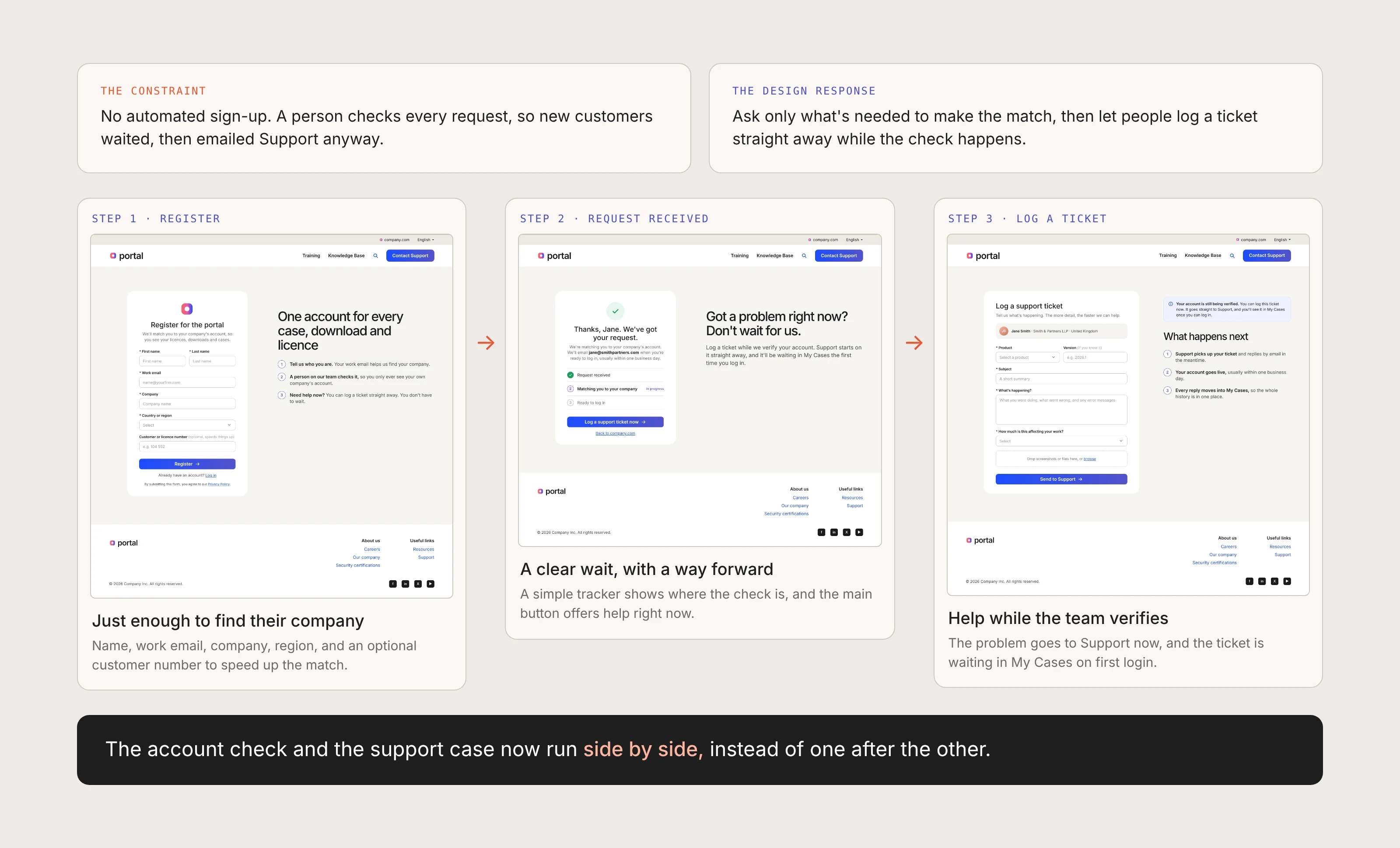
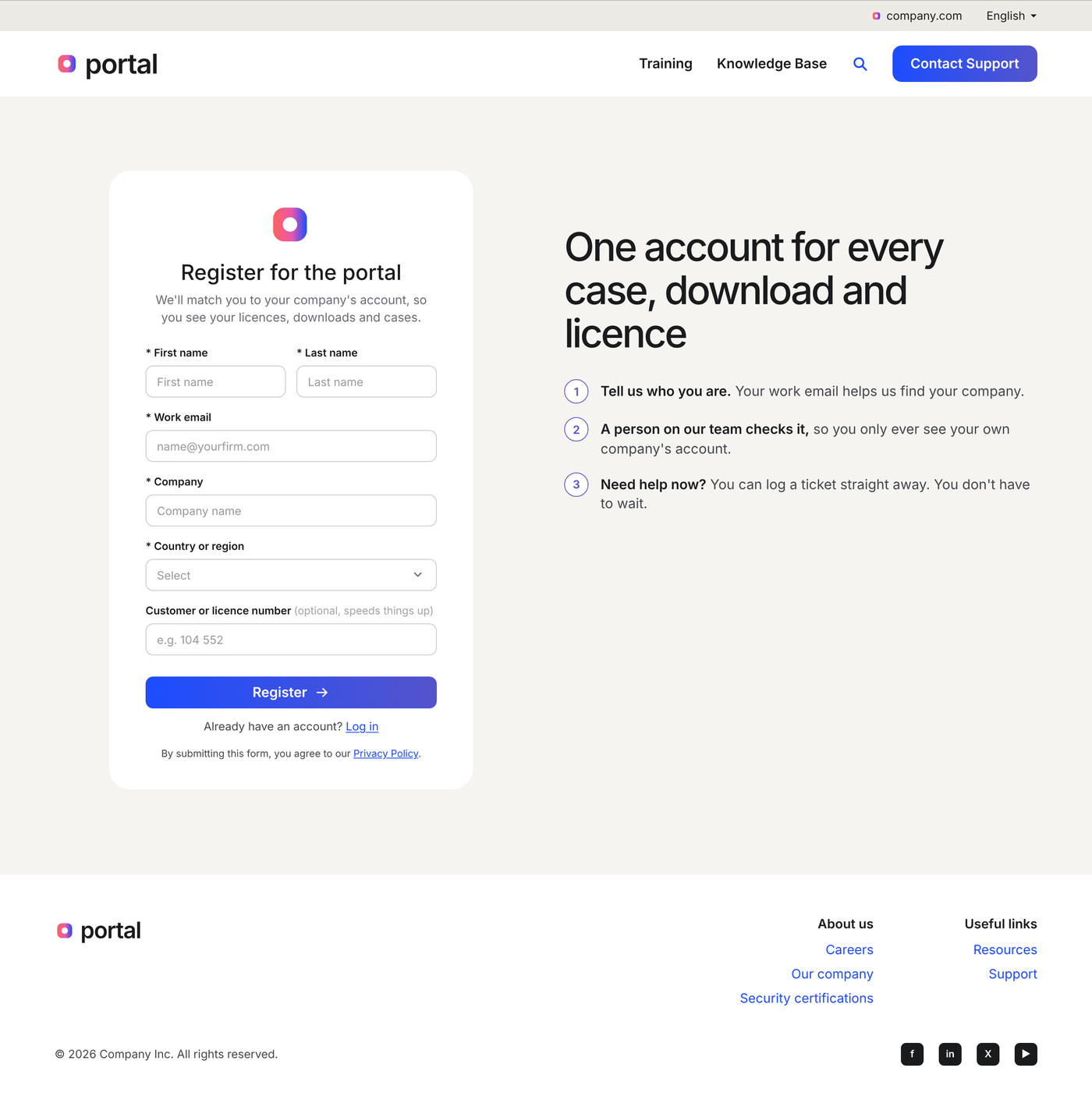
Register, see the request received, and log a ticket while the team verifies
The account check and the support case run side by side. Waiting stops being dead time.
Instant self-registration, like most portals
Support verifies every account, so we make the wait clear and useful
Support needs to verify customers and access levels. I designed around it instead of fighting it.
Support solved cases by email, and the customer never joined the portal
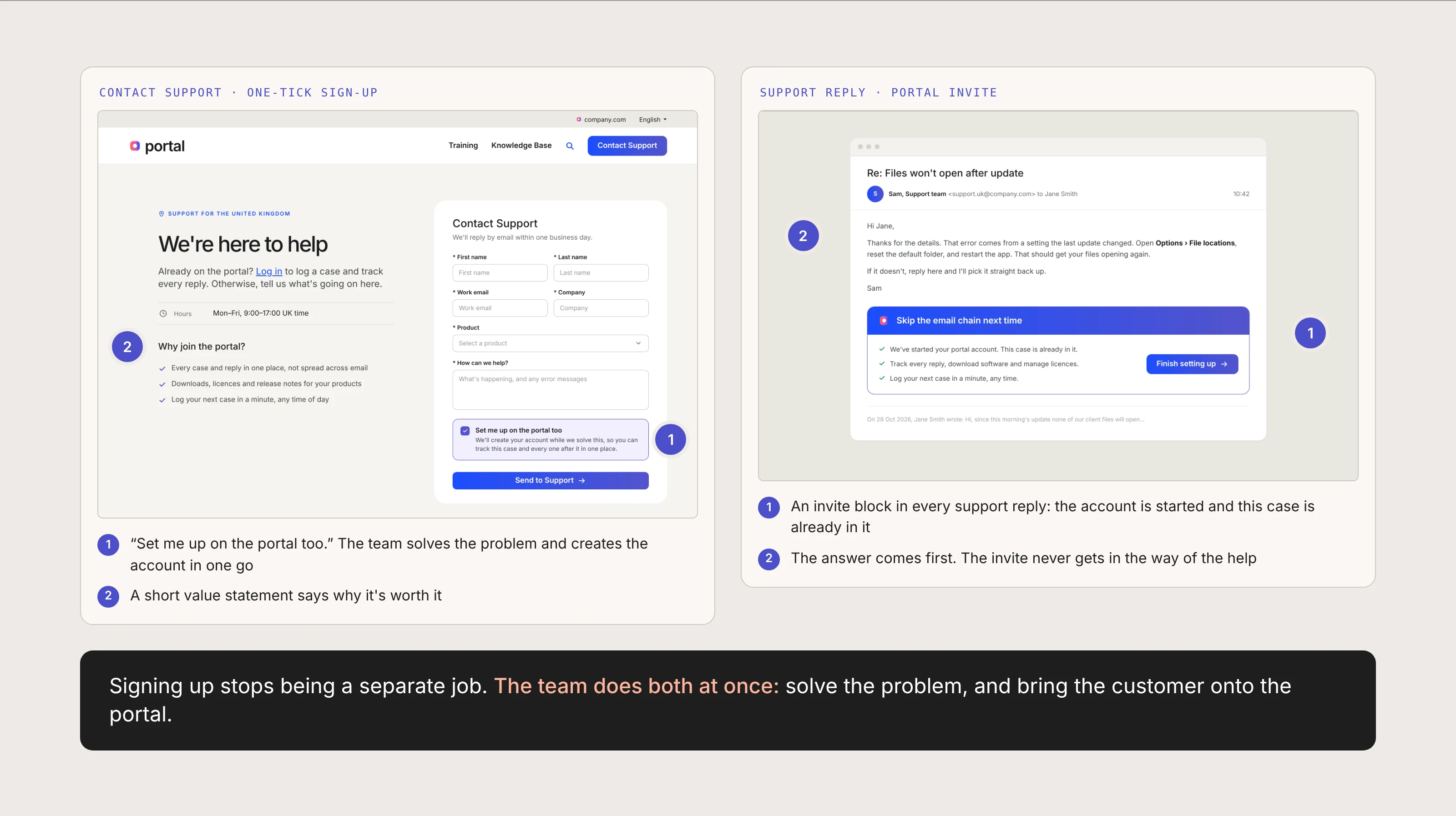
A one-tick sign-up on Contact Support, and a portal invite in every reply
The team is small and already in the thread. Doing both at once costs them almost nothing.
Concepts · Lo-fi wireframes
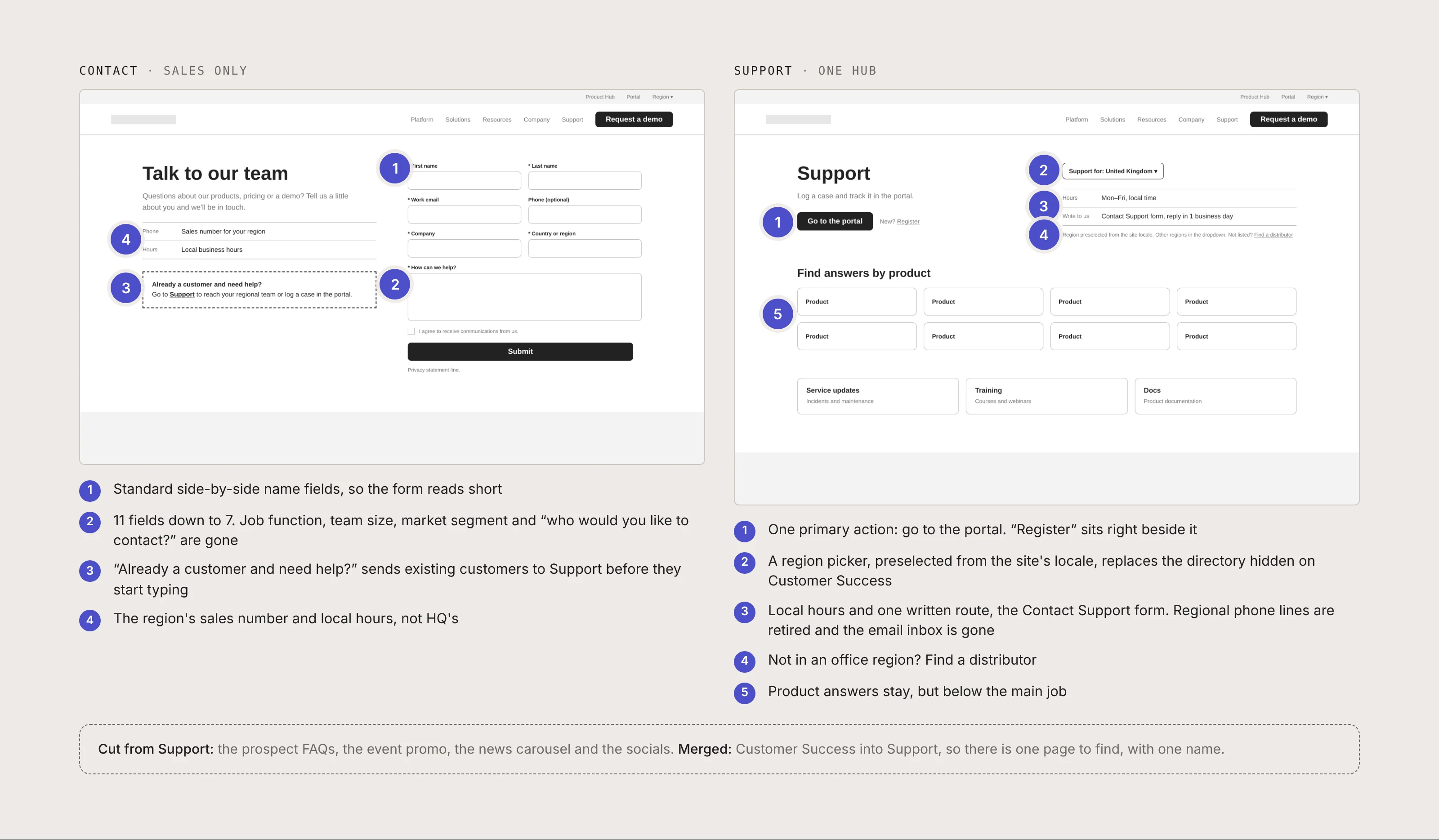
I wireframed the website side first, in grey boxes, so the conversation stayed on what goes where. Contact becomes sales only, with a shorter form and a clear way out for existing customers before they start typing. Support becomes one hub with a single job, getting customers into the portal, and a region picker that replaces the directory hidden on Customer Success. The prospect FAQs, promos and news came out.
Concepts · One way in
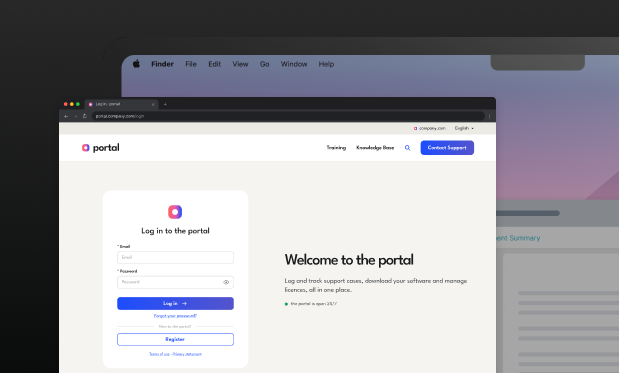
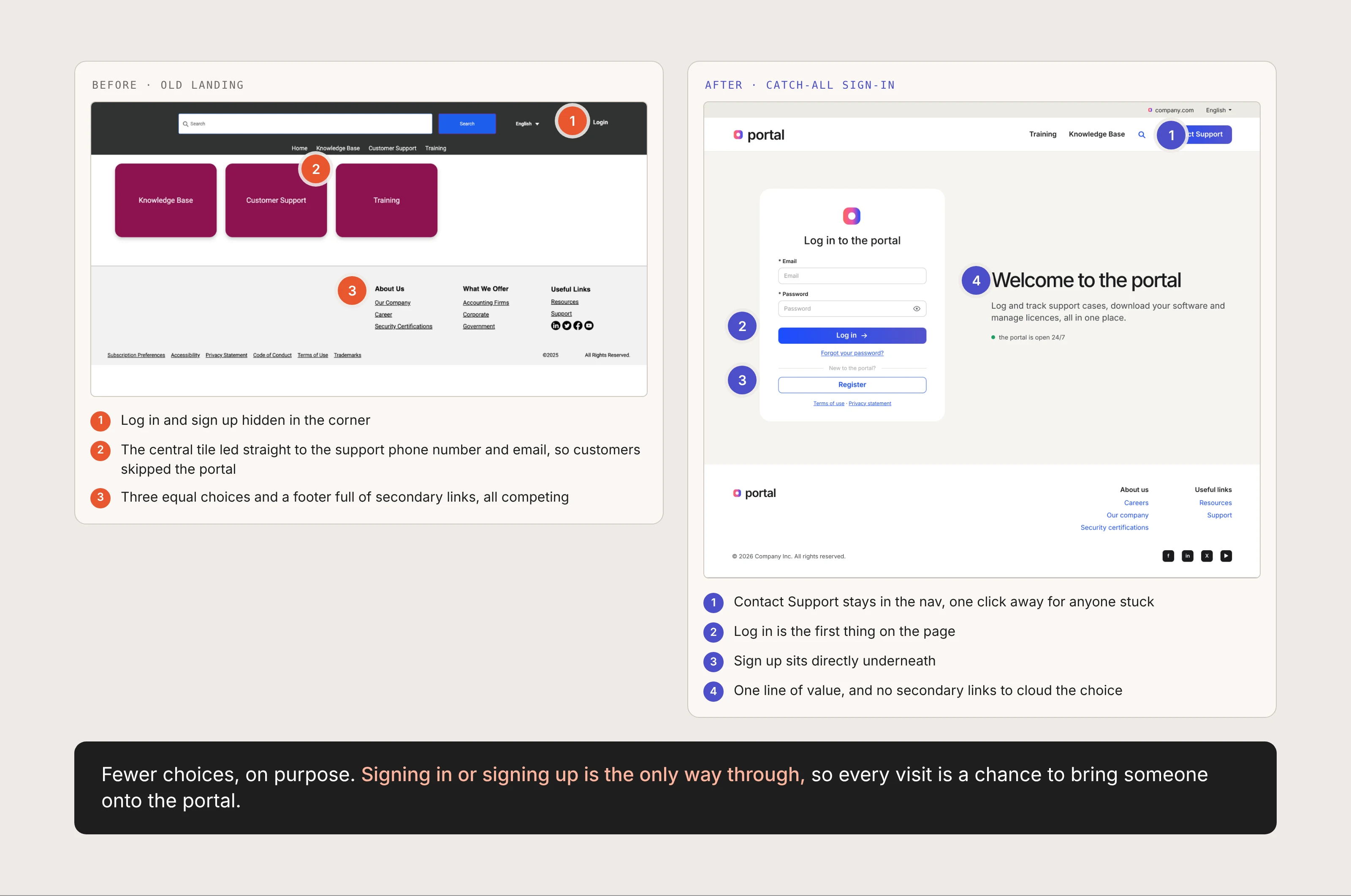
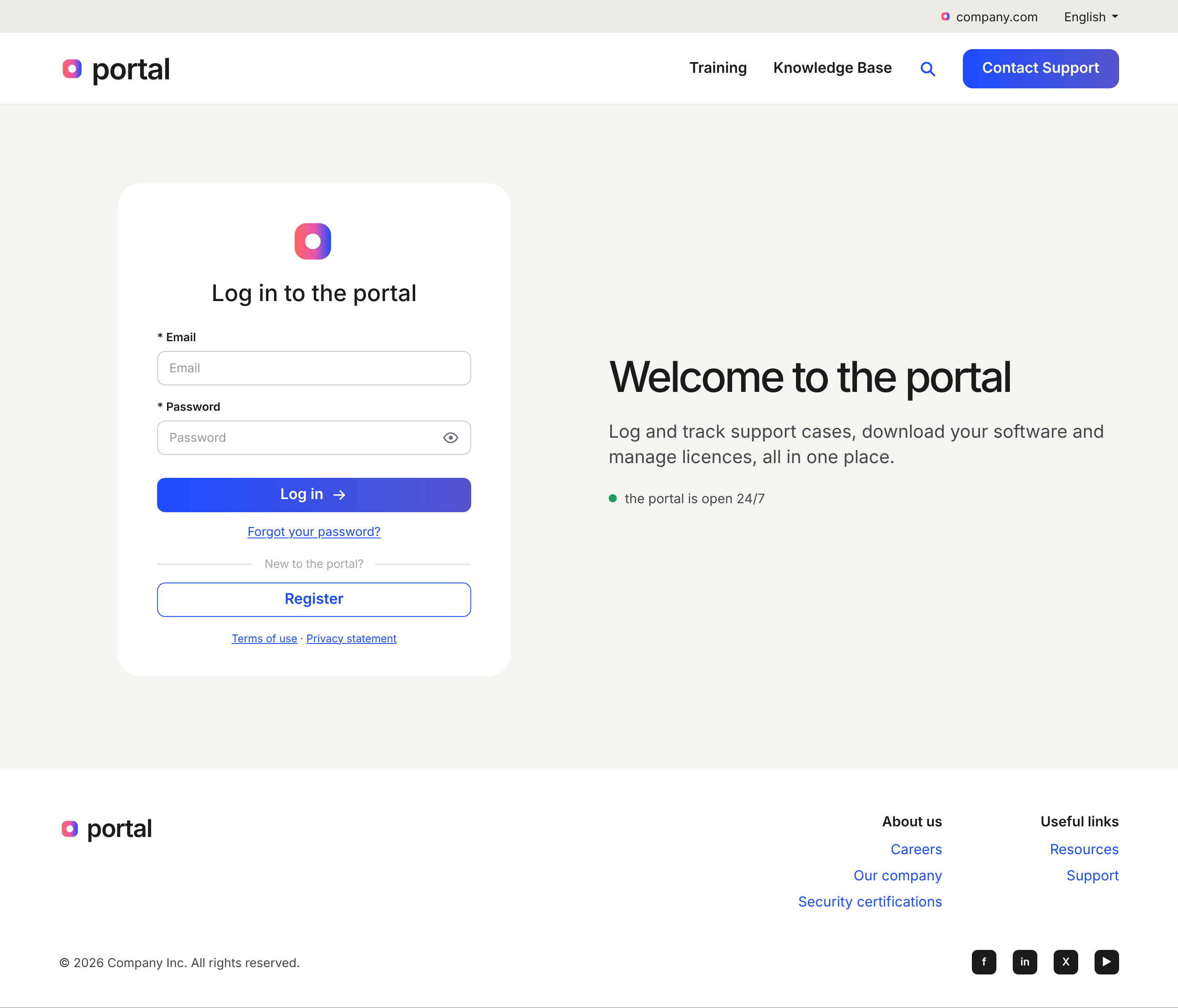
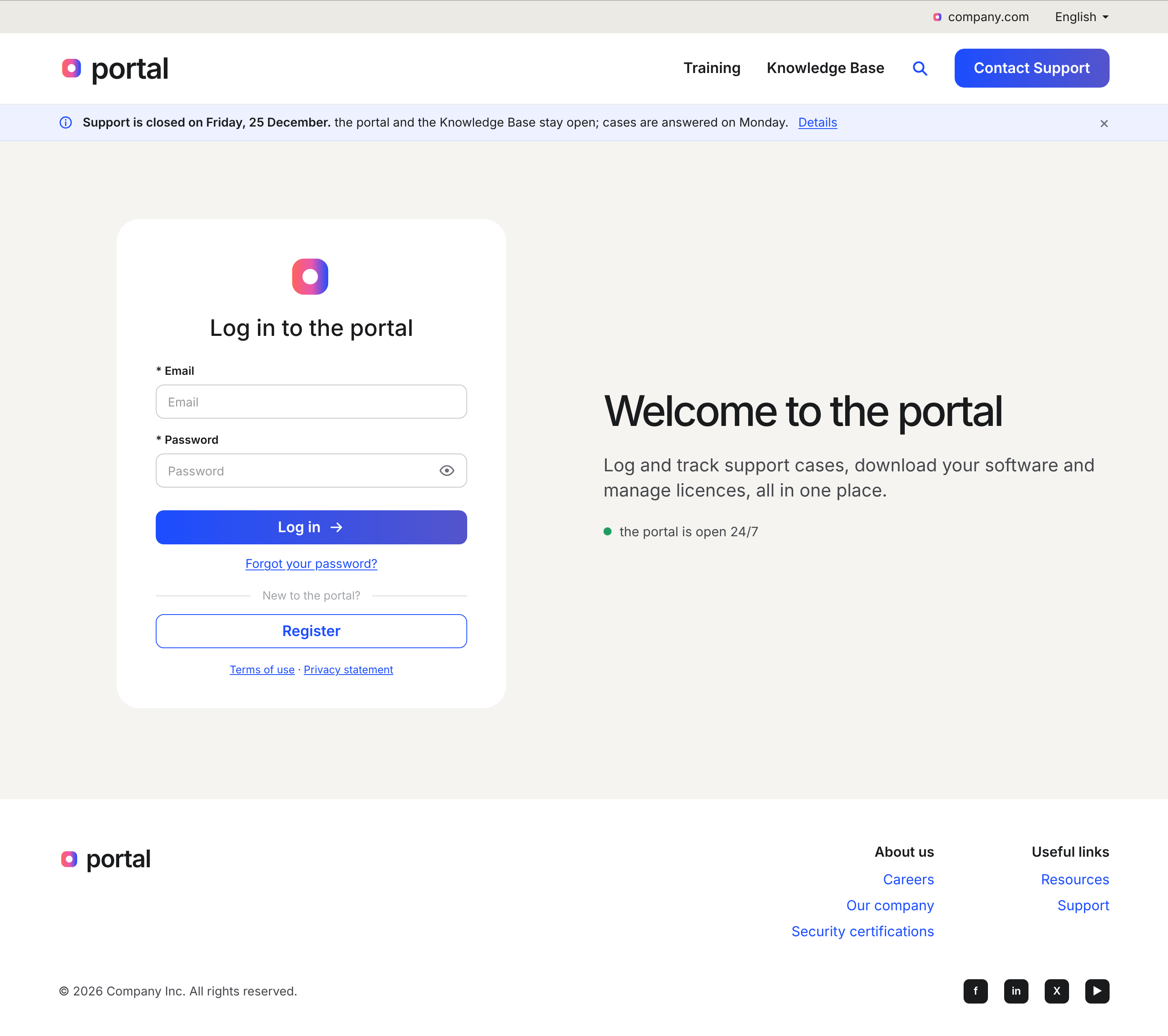
The portal opens on a single sign-in, reached by every support link in every locale. Register sits directly beneath it, so the two ways onto the portal are the only ways through. Fewer choices, on purpose, and every visit becomes a chance to bring a customer in.
Concepts · Registration
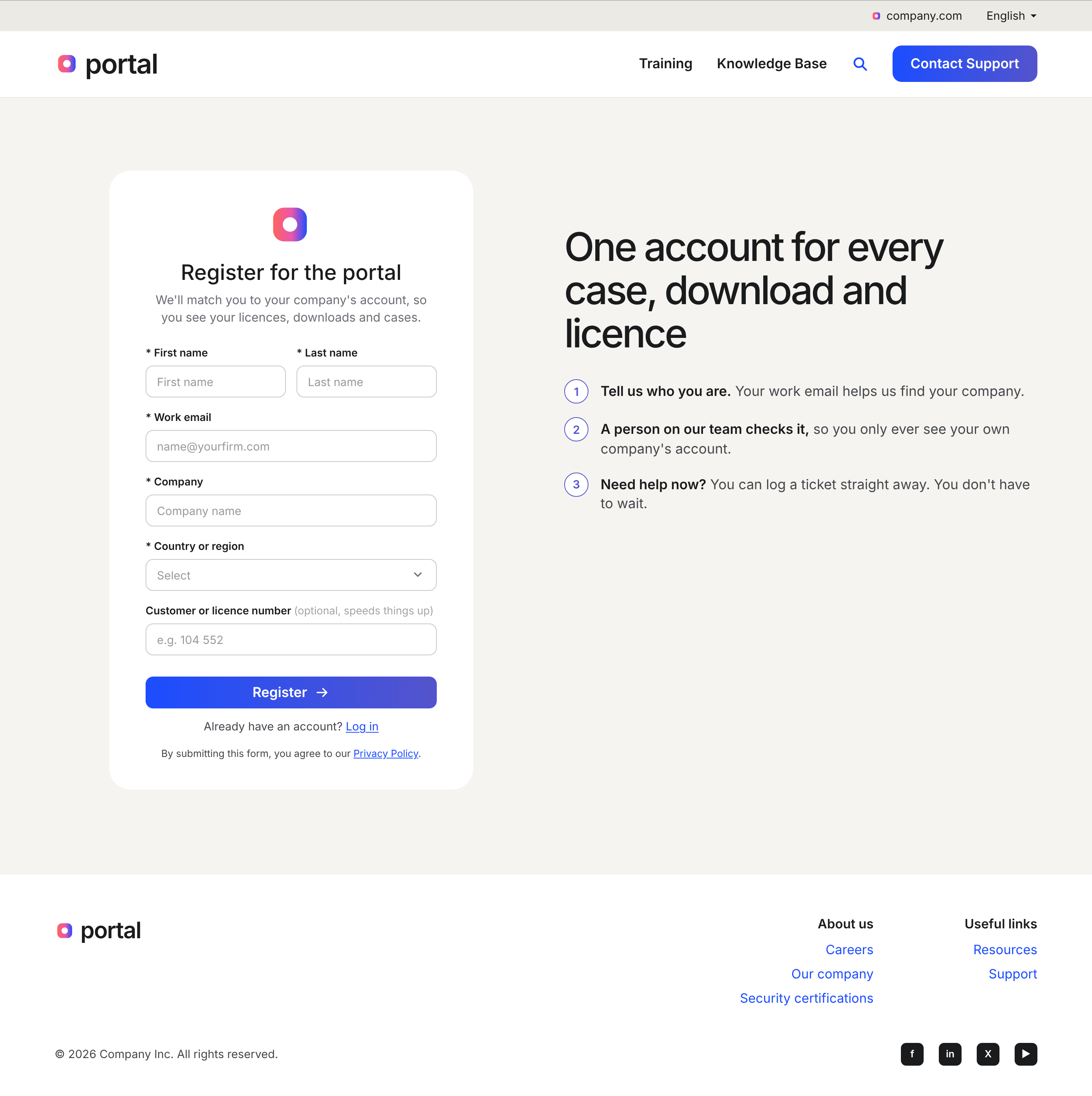
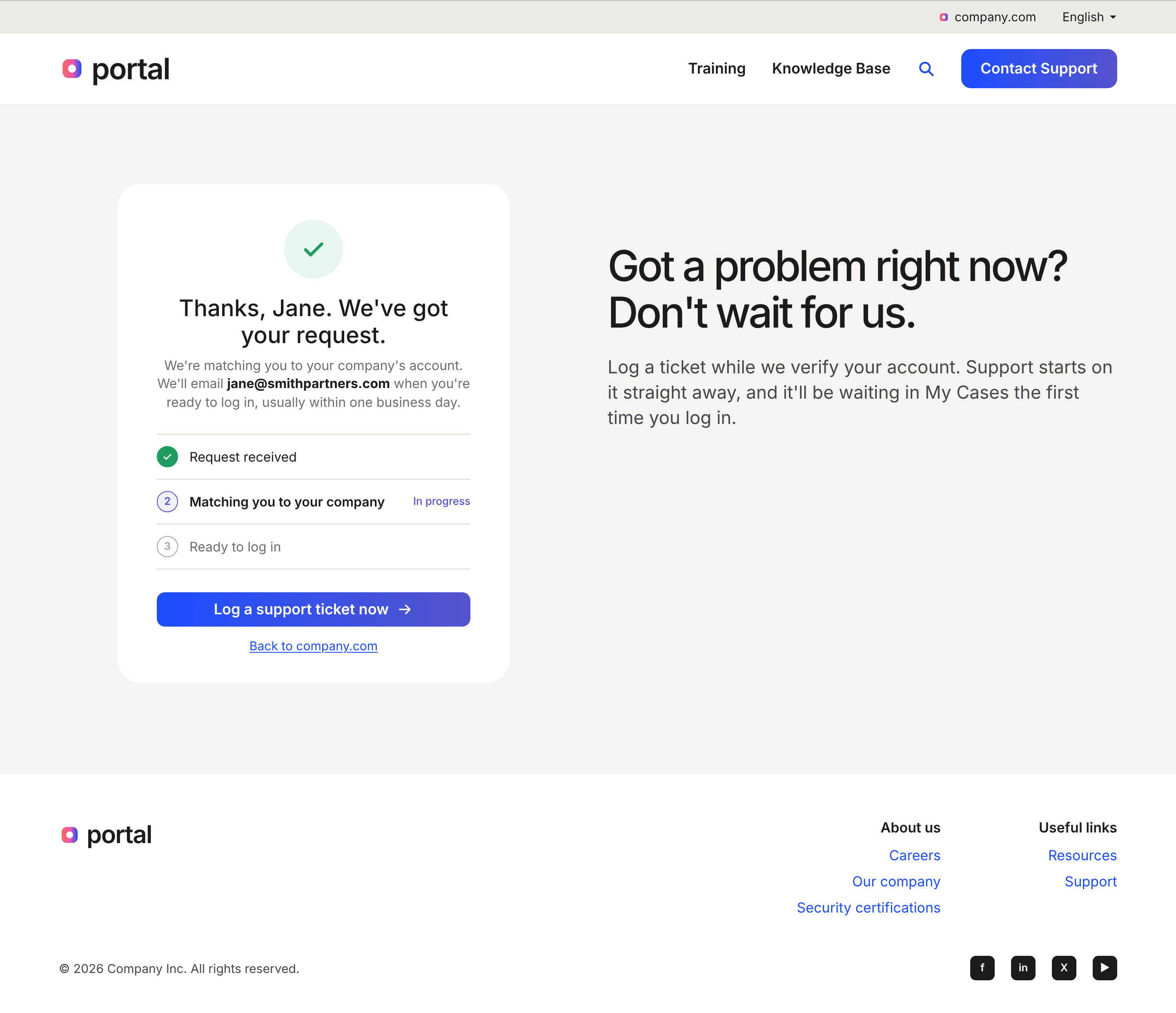
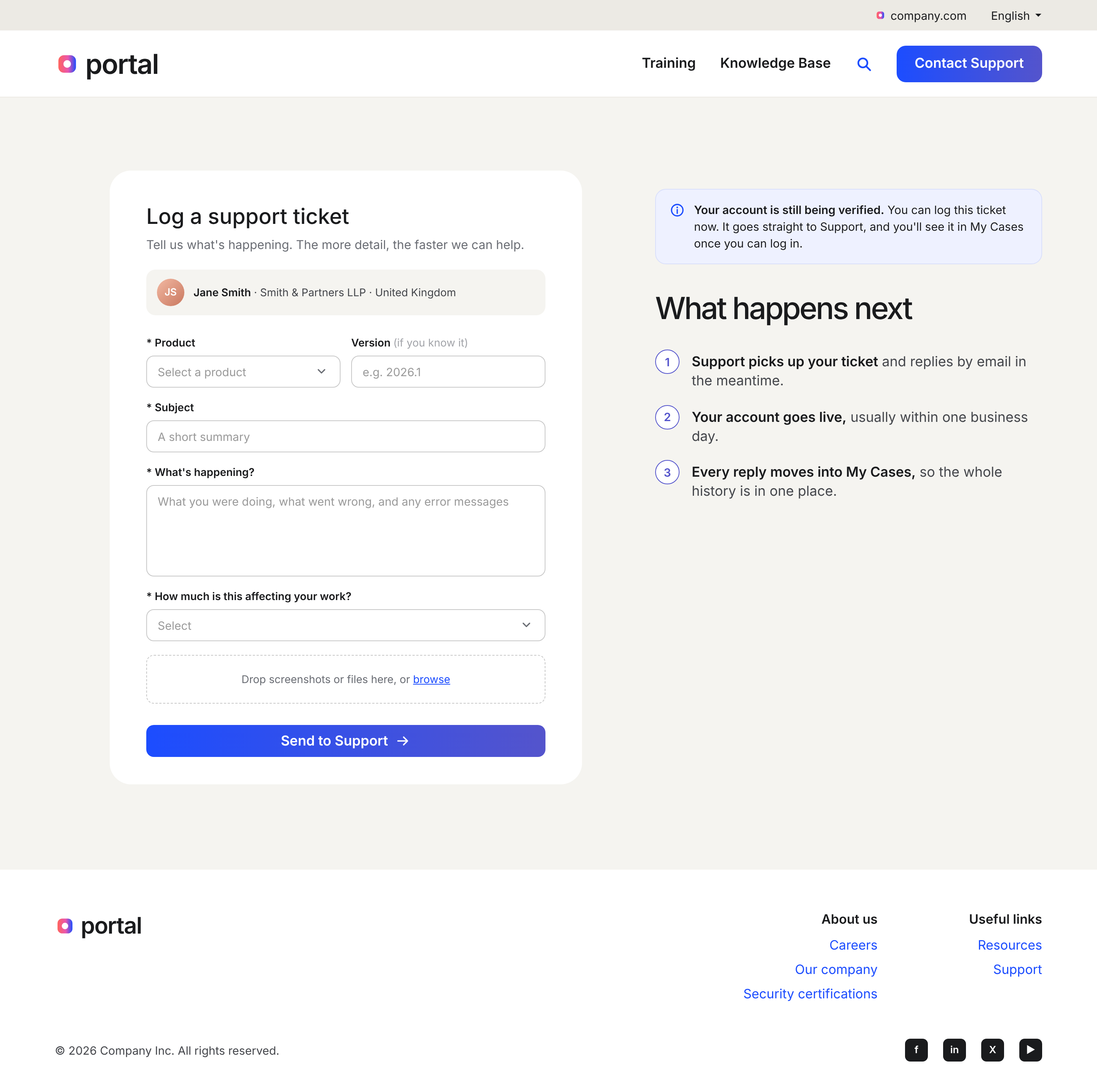
Support verifies every account by hand, so registration is built around the wait instead of against it. A customer registers, sees the request land, and logs a ticket straight away while the team confirms them. The account check and the support case now run side by side, so waiting stops being dead time.
Concepts · Recruiting
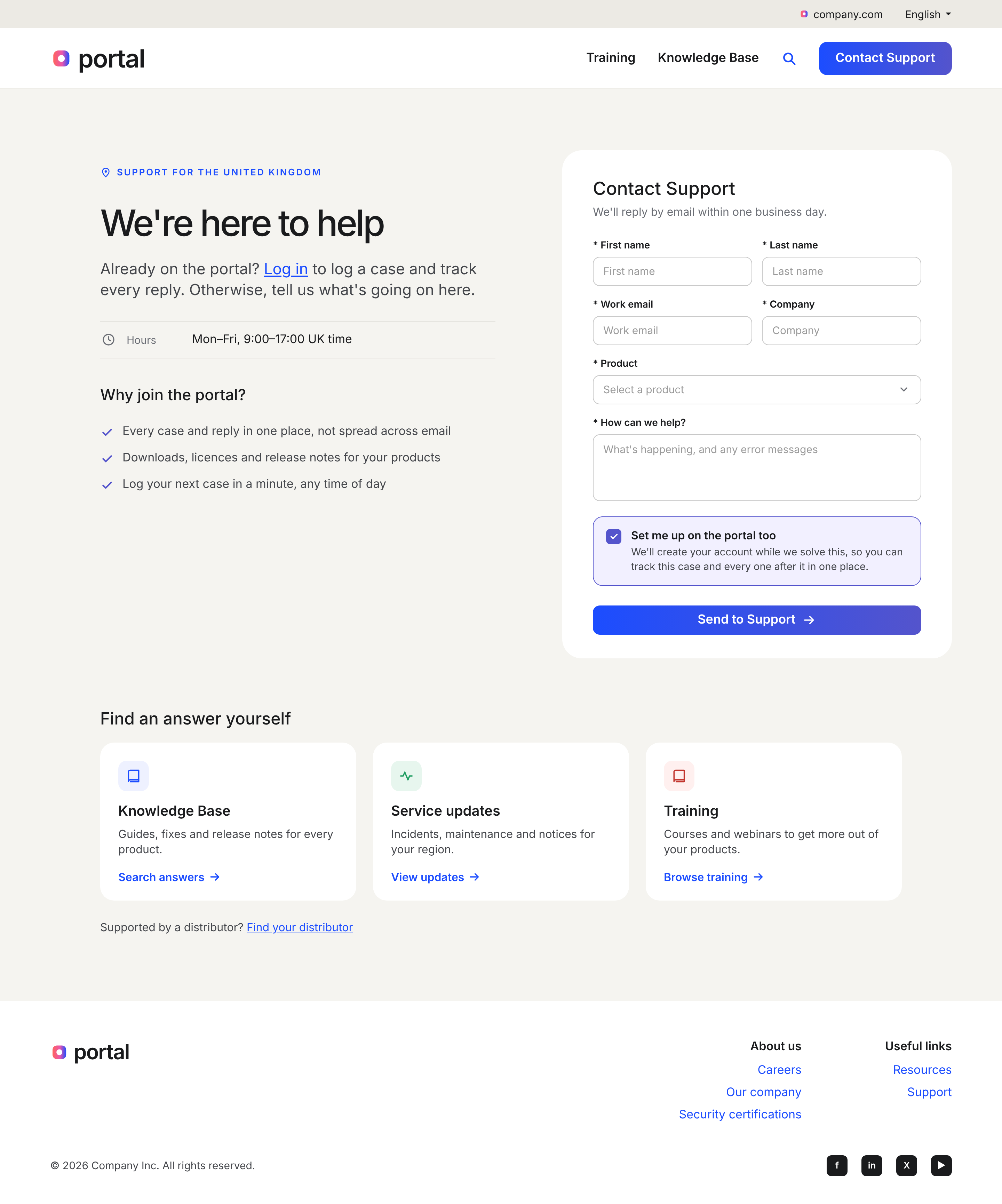
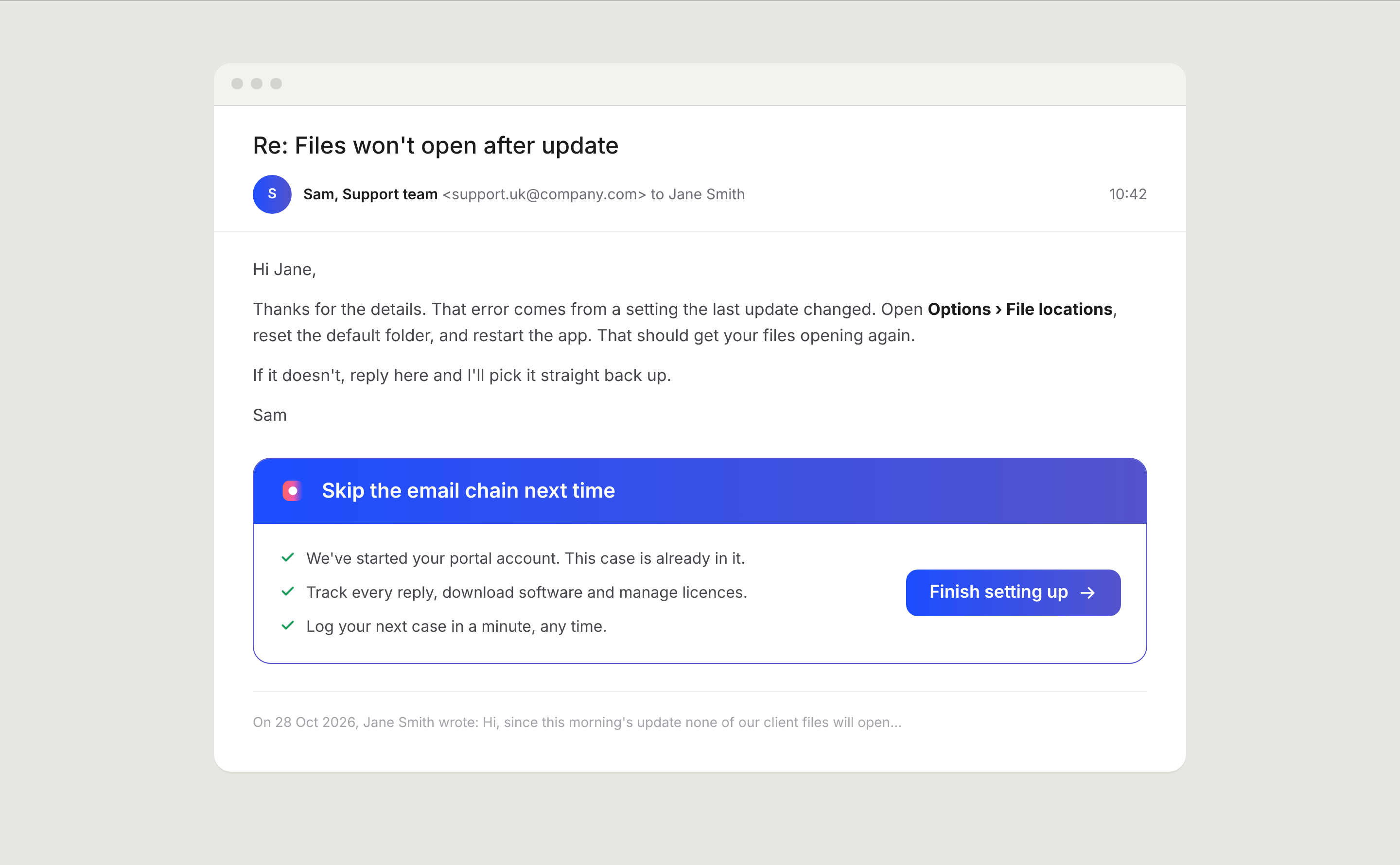
The people already answering support are the best ones to bring customers onto the portal. A one-tick option on Contact Support creates the account while the case is solved, and every reply carries an invite with the case already inside it. Signing up stops being a separate job and becomes part of getting help.
User flows · Journey stages
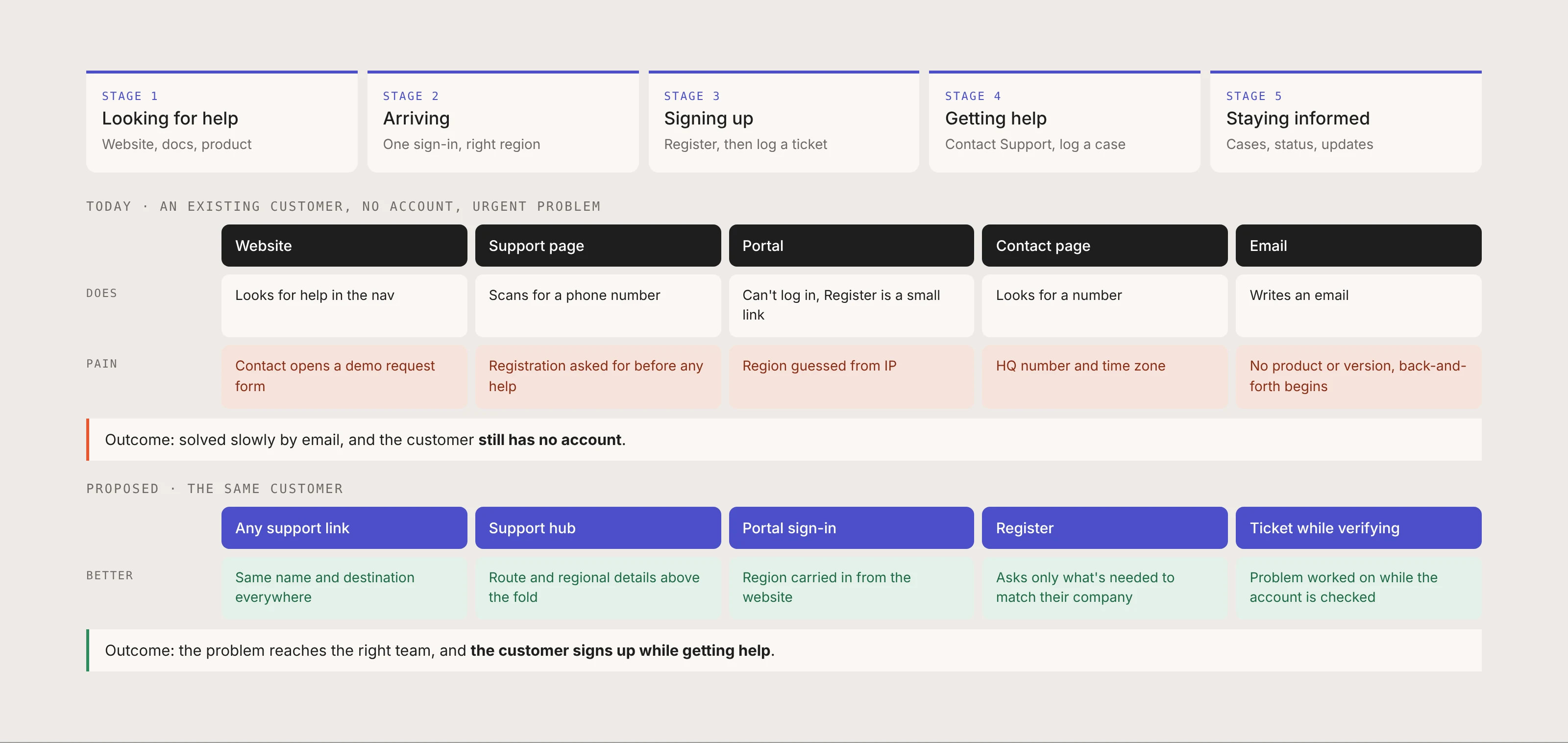
Instead of a list of screens, I structured the proposal around five stages a customer moves through. Looking for help, arriving, signing up, getting help and staying informed. Every problem and every fix belongs to one stage, so the team can fund and build them one at a time.
Following one customer through it makes the difference clear. Today, an existing customer with an urgent problem ends up emailing, and still has no account. In the proposed flow, the same customer signs up while getting help.
Outcome · Before and after
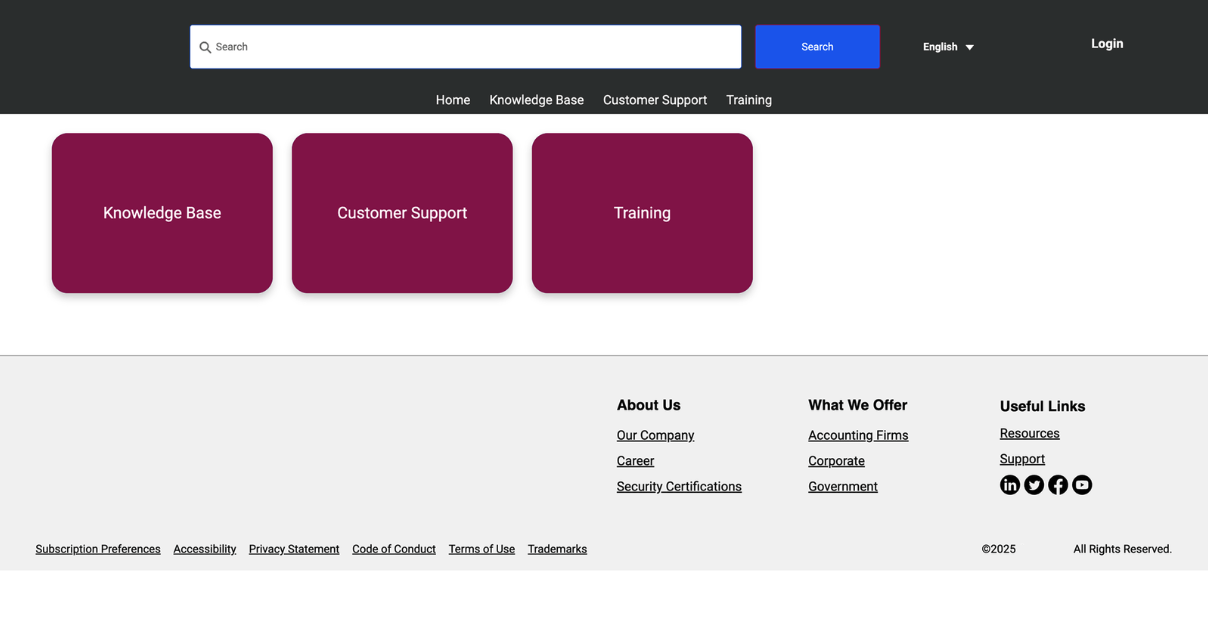
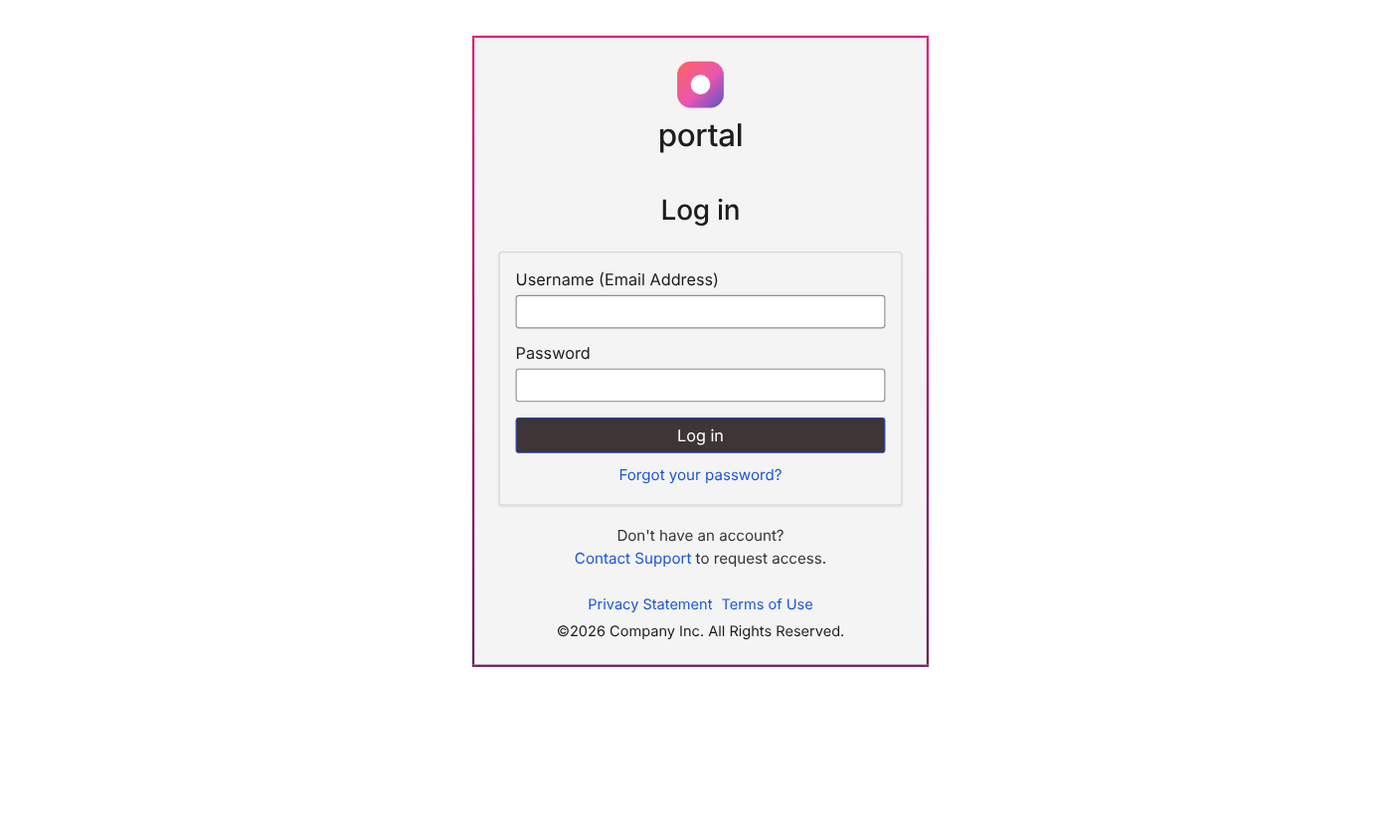
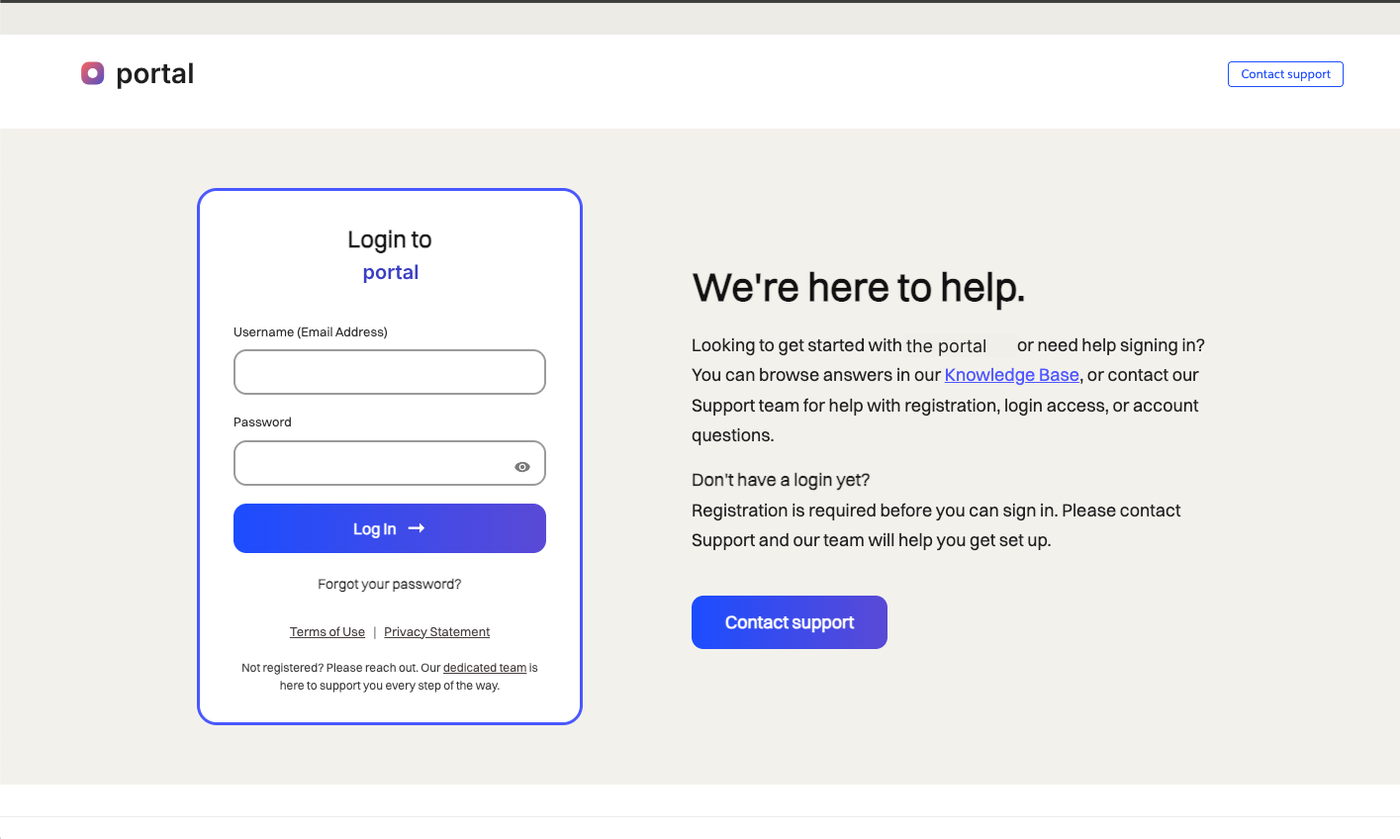
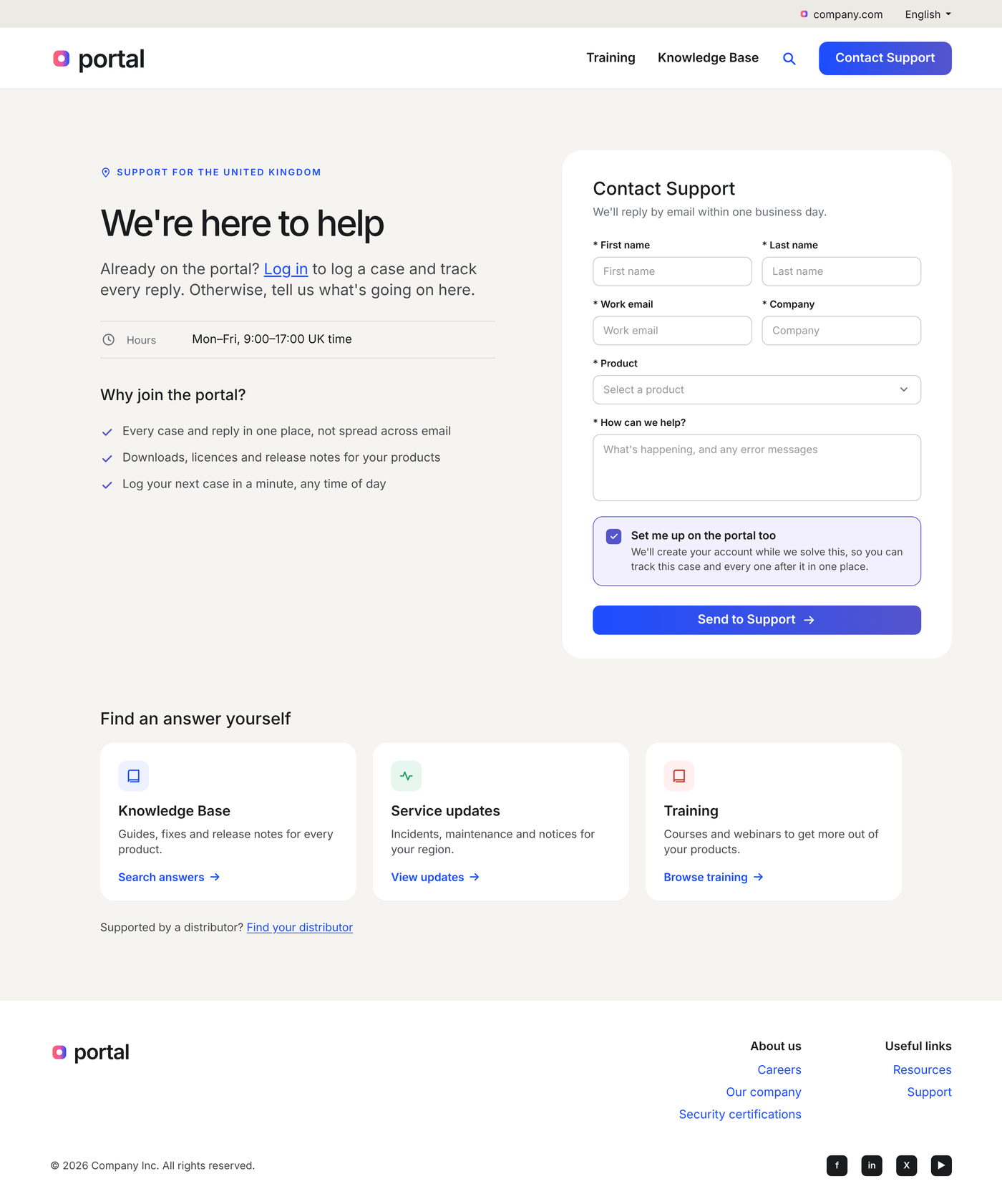
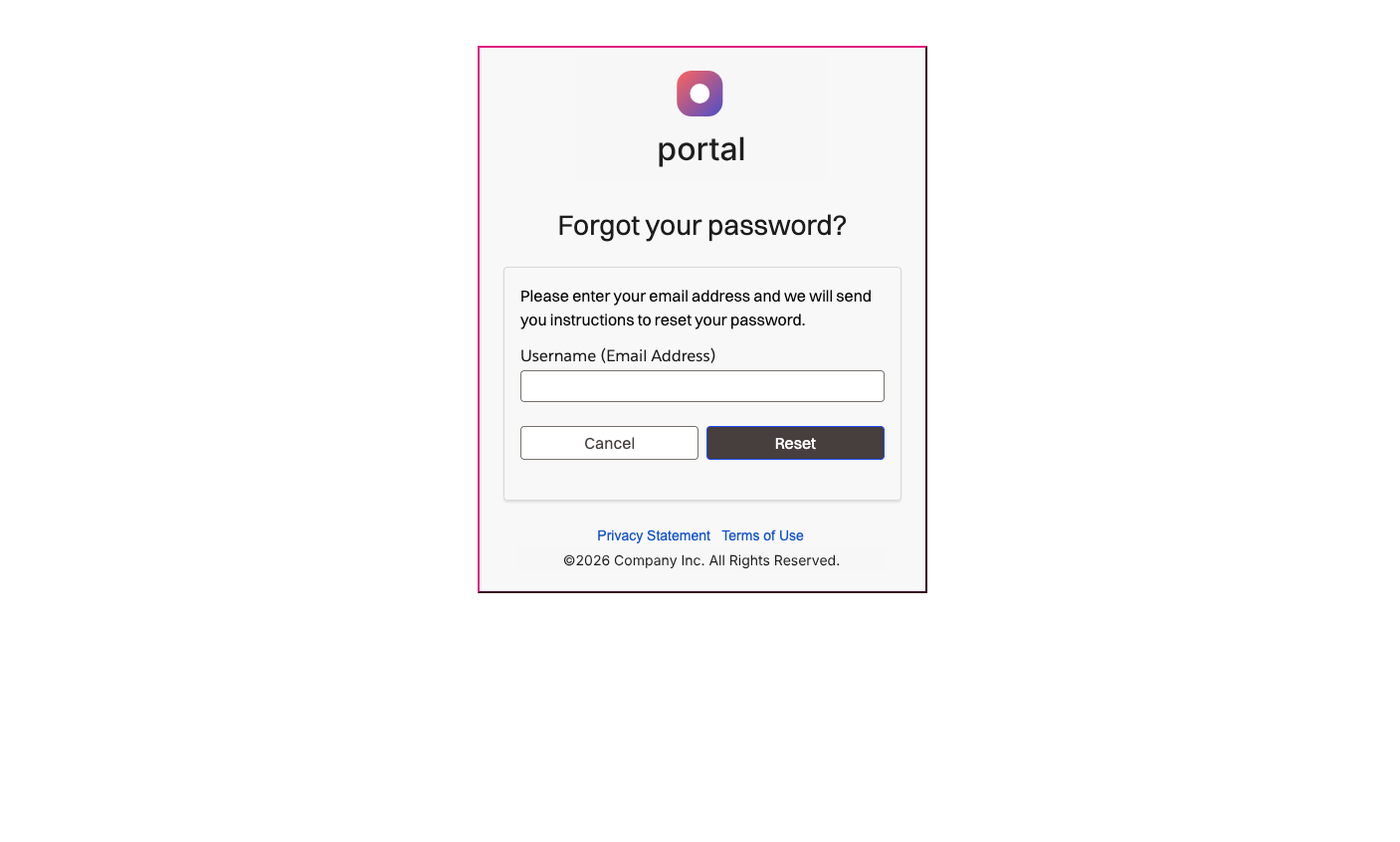
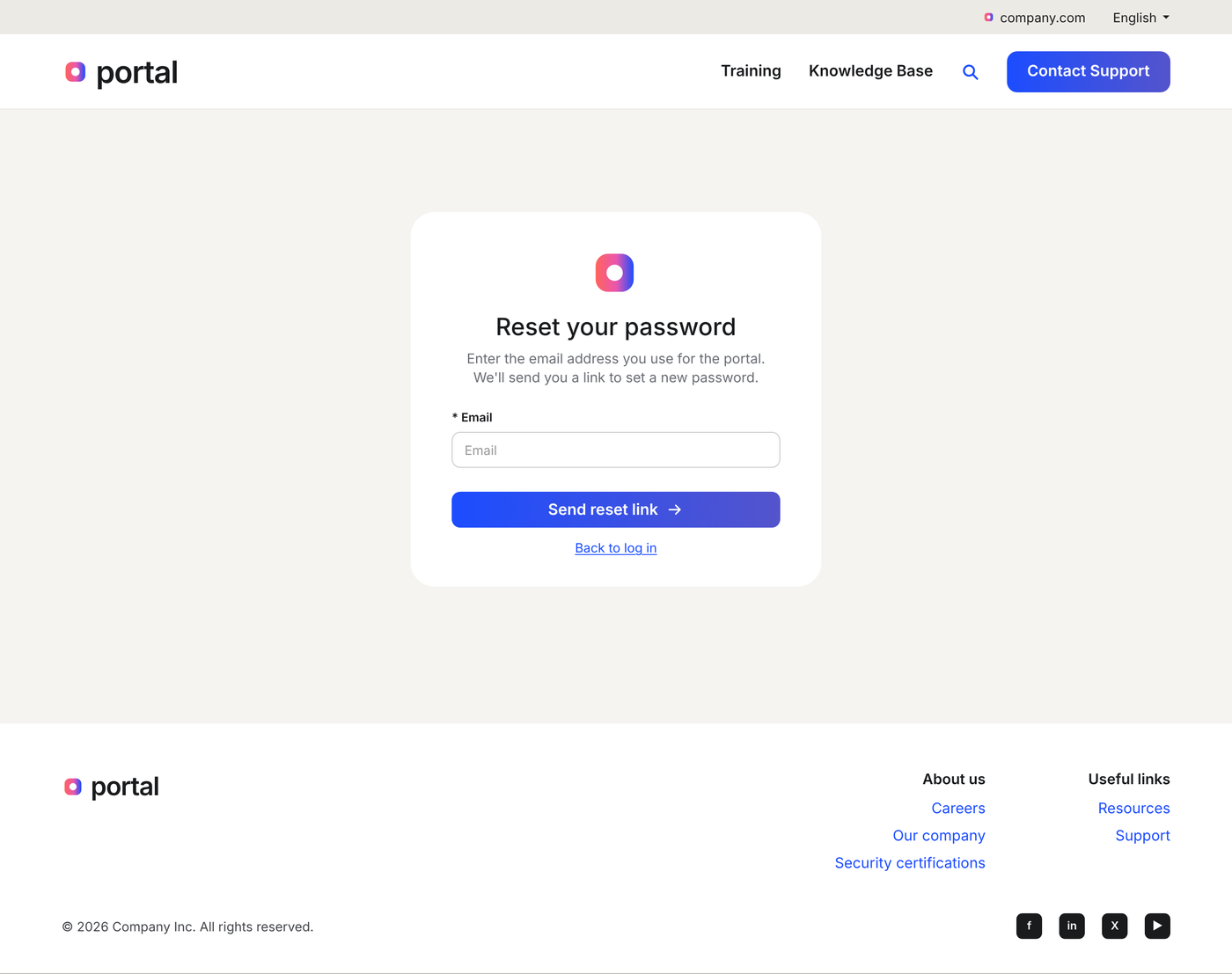
The same moments in the journey, before and after. Sign-in, registration, getting help and password reset.
Sign-in
Before
After
Registration
Before
After
Getting help
Before
After
Password reset
Before
After
Outcome · Final designs
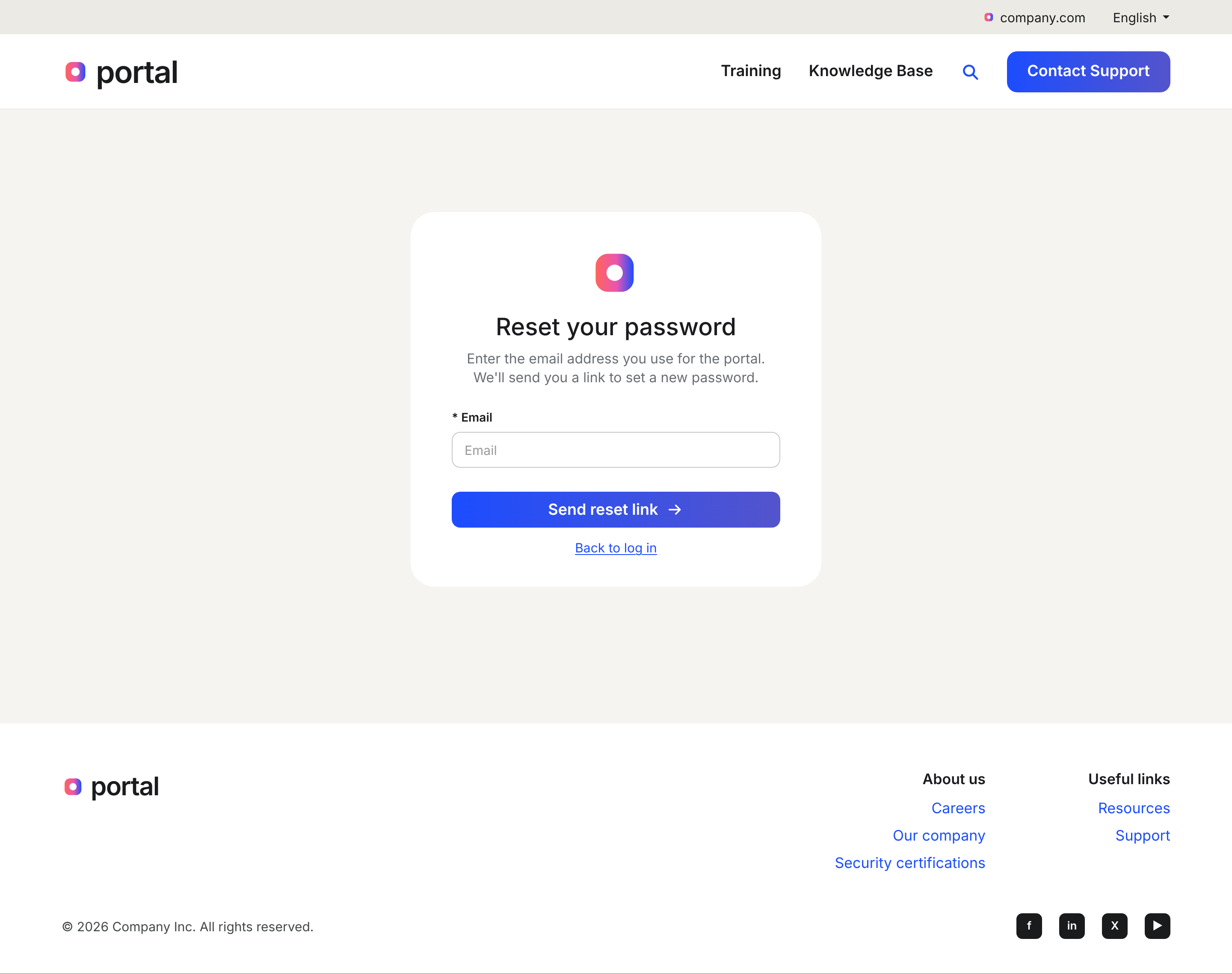
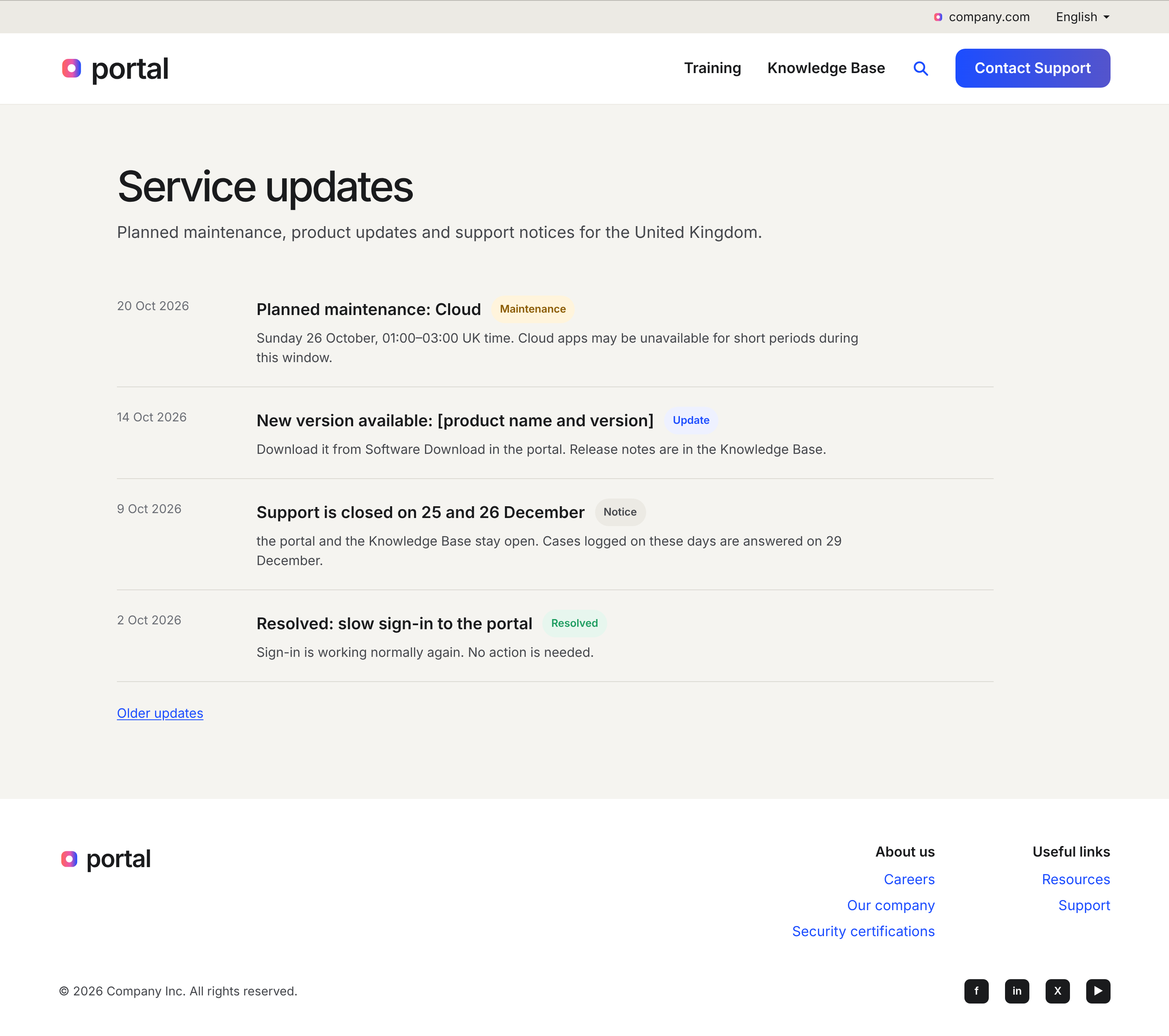
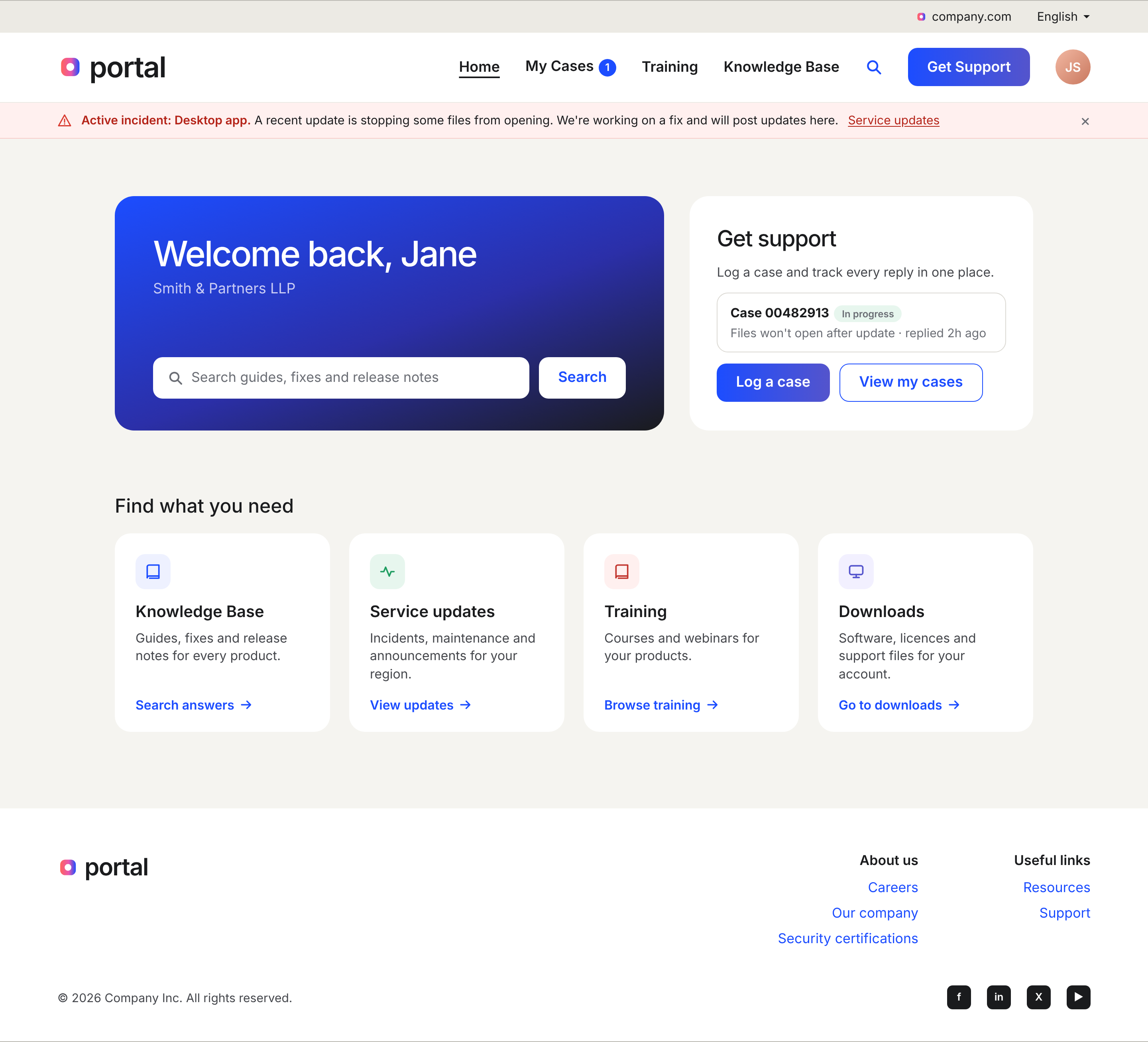
The proposal includes seven final screens, each tied to the stage of the journey it fixes. Sign-in (with and without an announcement), register and get help, forgot password, Contact Support, service updates and the logged-in home.
Sign-in
Sign-in with announcement
Register
Request received
Log a ticket
Forgot password
Contact Support
Support invite
Service updates
Home
Outcome · Measures
The quick wins from round one shipped. The research turned the rest into a journey-based proposal, now with stakeholders for resourcing. For the first time, every change has a baseline to measure it against, and the main one is the number the business cares about most, how many customers sign up.
Project takeaways
The project's still going, and there isn't much budget for proper testing, so the next stretch is probably more fine-tuning than big changes, something I'll come back to properly once it launches. I haven't got every call right, and what I've got is a strong case rather than a proven result. The part I'm most keen on next is carrying it into Salesforce, so it holds together for the support team too, not just the customer.