A support experience boxed in by Salesforce, service routes that changed from one locale to the next, no usage data to lean on, and a full overhaul already looming. The job: fix what we could meaningfully change now.
This project came in as a quick facelift to bring the portal in line with the new brand. But the deeper I dug, the more real user issues surfaced, and they were too important to walk past while there were resources on the project. So I made the case to fix them properly.
With no analytics or research access, I leaned on the people who ran support day to day, and on the issues I'd run into myself. To me, support is one of the most important things a company offers, so I pushed hard to get these changes made.
I was the designer on a small team, with a developer building alongside me and direction from the head of product support and the marketing department.
Everyone logging in is an existing, paying customer, and once they do, the support and the knowledge are tailored to their account. Driving more people toward that personalised experience was a real business priority. But the landing page worked against it. Three big cards pulled everyone toward generic support, while the one action we actually needed, logging in, was a tiny link in the top-right corner.
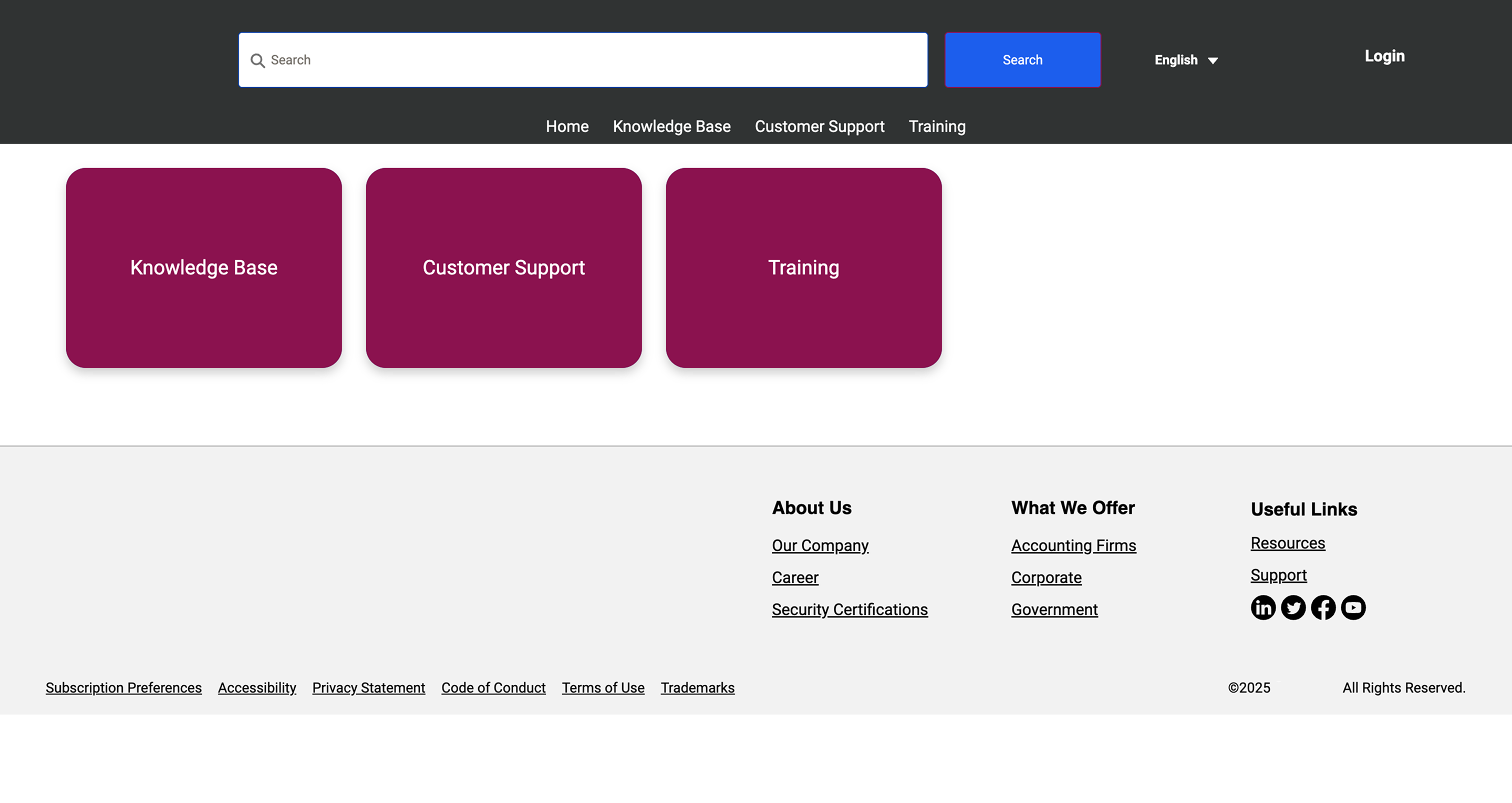
So people followed the path of least resistance into a general support inbox, and the team kept fielding the overflow. Worse, anyone who did reach the login but wasn't registered hit a dead end. A 'dedicated team' link dropped them onto a directory of hundreds of regional distributors. The path to support lost people at every turn.
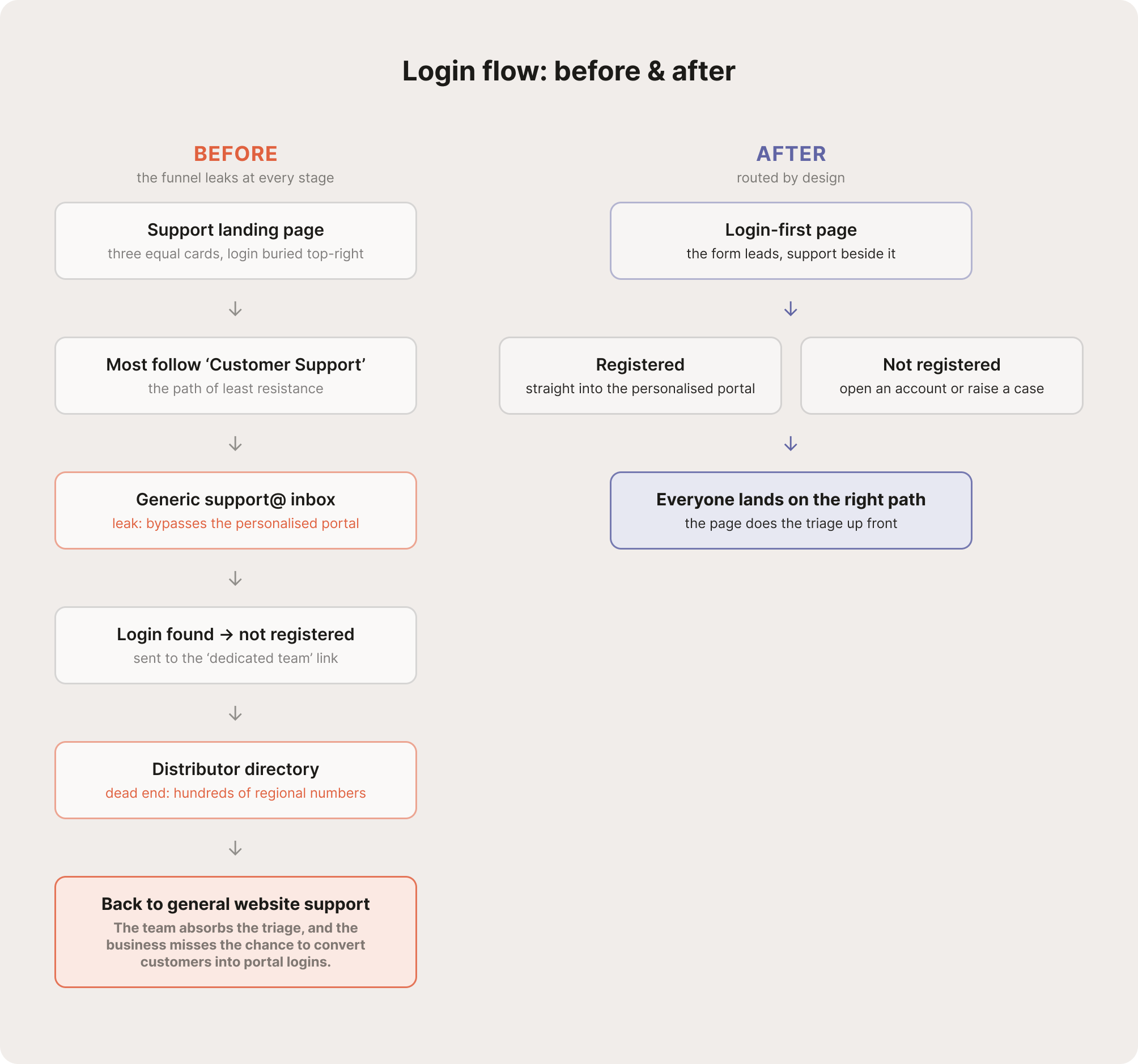
Login-first
Front and centre
The form now leads the page instead of hiding in the top-right corner.
Support as fallback
Help, as the second step
Generic support sits beside the login as a backup, with operational hours so people know when to expect a reply.
A way through
Everyone gets pointed somewhere useful
Unregistered users reach the help they actually need, whether that's opening an account or raising a case, rather than a list of regional distributors.
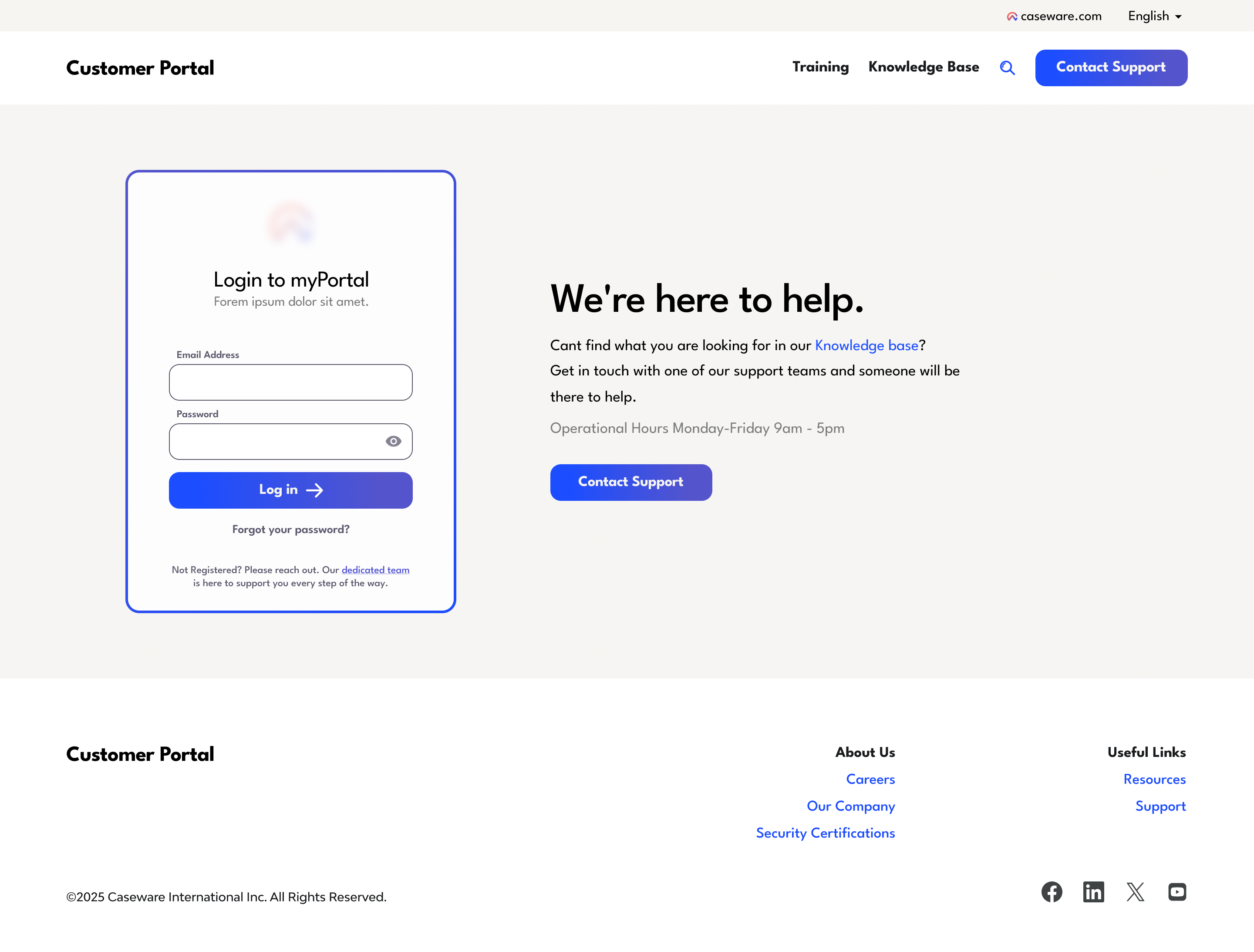
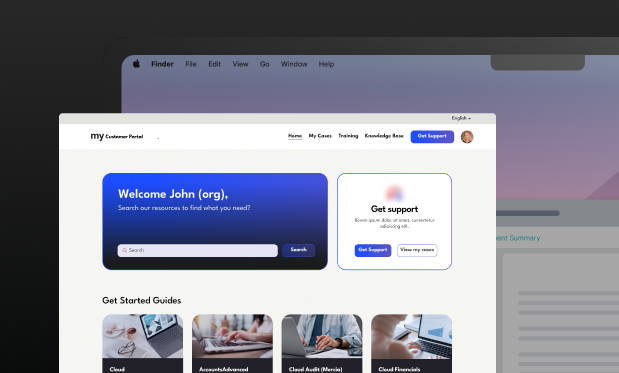
The home screen repeated the same problem as the landing page before it: the user's primary objectives were lost in the clutter. Logging a case was unclear and disjointed, with no indicators to guide the way. And because nothing distinguished when to log a case from when to contact support so the value of the portal was lost.
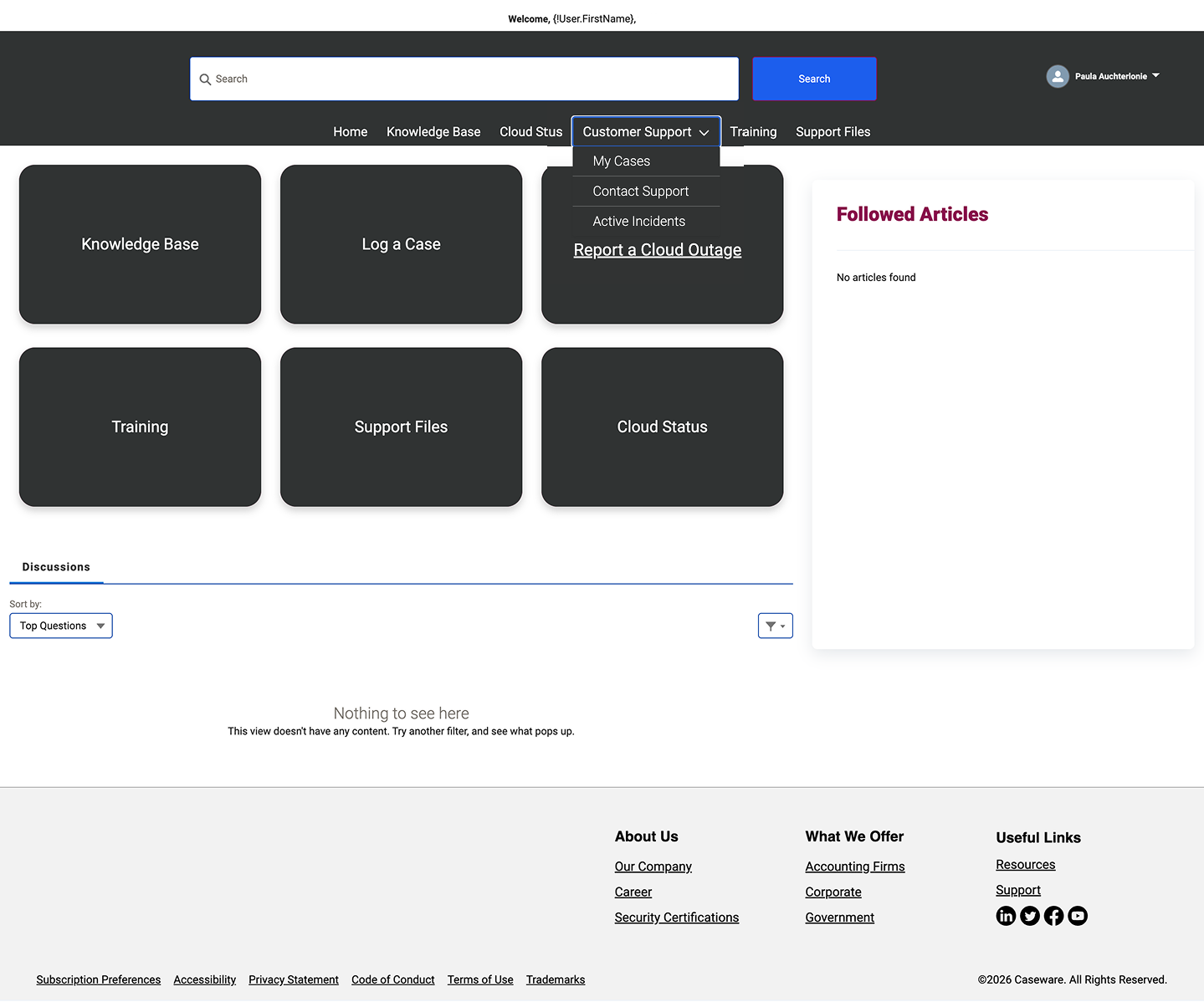
1. Personalisation: The platform did allow for some personalisation, so the home now greets each customer by name and company, the more personal feel the team had asked for.
2. Support: The head of product support wanted everything surfaced in one place, and pointed me to help centres like BizTalk360's: a search bar over a flat grid of every topic. That same instinct was probably why the original home had become a wall of equal-weight cards. It inspired the above-the-fold layout, but with the real priorities leading: logging or tracking a case, and getting support, come first, while everything else earns its place below.
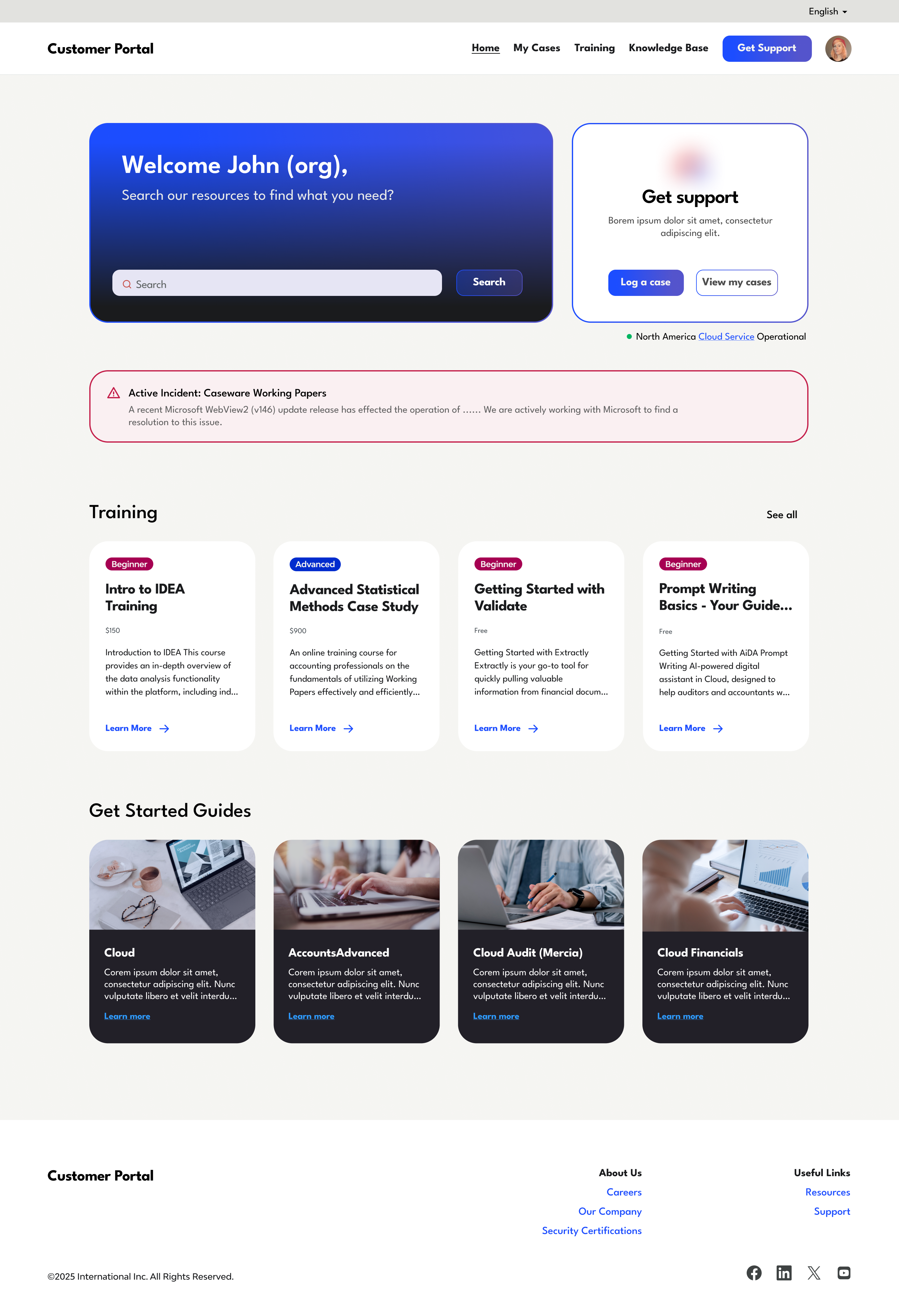
3. Status light: Cloud status existed before, but only as a separate external page. Since it was such a common question, it made sense to surface the indicator at a glance, right where you'd reach for support: a green light confirming the service is operational in your region.
2. Incident banner: In the same vein, when something is wrong, an active incident banner now surfaces it up front. It names the issue and what's being done about it, so nobody has to wonder whether it's just them or whether anyone's already looking into it. For now it's posted manually for major incidents, and building a process to automate that is a planned next step.
I've contracted for this company for two years, and this was the first product I really got to take the lead on and restructure. It's the project where I felt my input genuinely shaped the direction and the overall user experience. Sometimes an outsider's perspective makes that easier, I could take my own confusion about the user journey and use it to make a strong case for change.
The redesign shipped. As a contractor I sat outside the post-launch measurement, and with no analytics to begin with there's no deflection figure I can claim. What I can point to is the work continuing: the project is about to switch platforms and integrate into the main website, opening up far more customisation, and I'm now designing the support agent for the same space. That's the part I'm excited to dig into next.